
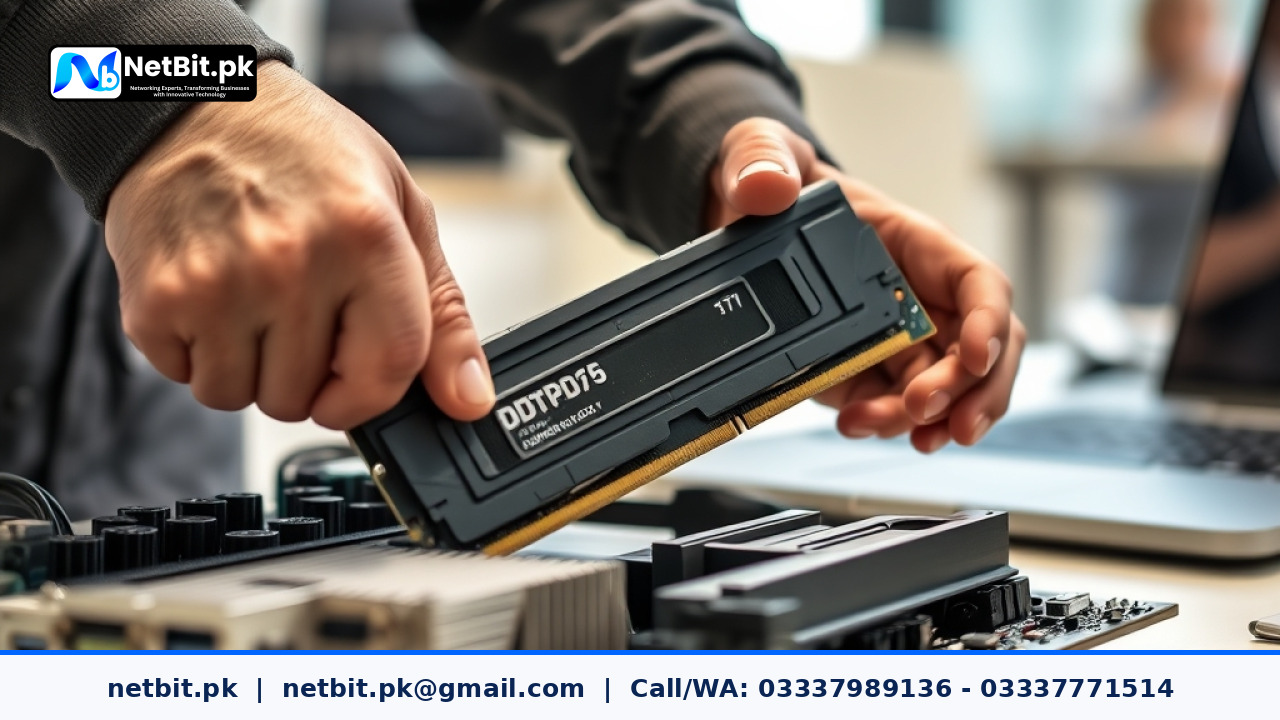
Understanding Recent Upgrades in Desktop Computer System Hardware
The computer hardware market across Pakistan has experienced a significant shift in recent months. Desktop computer systems and office workstations are rapidly transitioning from legacy architectures toward newer standards like DDR5 memory modules and high-speed NVMe storage drives. For students selecting learning rigs, accounting firms maintaining multi-user office computers, and local enterprises setting up desktop workstations, staying informed about system hardware changes is essential for smart budget allocation and operational stability.
While older DDR4 systems remain widely available across computer markets in Karachi, Lahore, Islamabad, and regional tech hubs like Khuzdar, motherboard manufacturers are increasingly shifting production to newer platforms. Understanding how these system upgrades impact day-to-day office tasks, custom software execution, and desktop performance ensures you buy equipment that remains usable for years without requiring immediate overhauls.
What Is Changing in Desktop Computer Architecture?
Computer systems operate through a combination of core processing units, volatile system memory, speed-rated storage drives, and interconnecting motherboard buses. Recent industry releases have introduced several structural updates that alter how desktop computers execute software programs:
- DDR5 System RAM: Offers higher baseline data transfer rates starting at 4800 MHz compared to standard 2400 MHz or 3200 MHz DDR4 kits. It features on-module power management circuits (PMIC) that lower operational voltage while improving power delivery efficiency.
- PCI Express 4.0 and 5.0 Bus Lanes: Provide double the bandwidth per lane compared to PCIe 3.0. This allows modern NVMe Solid State Drives (SSDs) to read and write large application files at significantly higher speeds.
- Hybrid Processor Architectures: Modern Intel and AMD desktop processors now utilize specialized core arrangements (combining performance cores and efficiency cores) to balance power usage during routine multi-tasking.
How Hardware Upgrades Impact Pakistani Businesses and Students
For ordinary computer users and local business owners, technical specifications only matter when they translate into real-world utility. Upgrading workstation hardware directly impacts how smoothly everyday operations run across various desktop computer setups.
1. Faster Application Loading and Database Querying
Offices utilizing desktop systems for inventory tracking, customized billing tools, or local client-server software benefit greatly from faster storage protocols. NVMe SSDs operating on PCIe 4.0 lanes allow database files to load instantly, reducing waiting times when generating monthly financial reports or pulling client records across internal computer networks.
2. Enhanced Multi-Tasking for Workstations
Educational institutions, design studios, and administrative offices routinely run multiple web tabs, accounting tools, and communication applications simultaneously. Modern DDR5 RAM features dual independent sub-channels per module, which drastically improves system responsiveness when switching between heavy desktop applications without experiencing memory bottlenecks.
3. System Thermal Efficiency and Power Consumption
Electricity supply variations and warm ambient room temperatures across many Pakistani cities demand computer systems that operate efficiently with minimal thermal stress. Newer CPU architectures and energy-aware RAM modules produce less excess heat per workload, reducing cooling overhead and extending the lifespan of internal desktop components.
Practical Guidelines for Choosing a Desktop Computer System
Before purchasing or upgrading computer systems for your school, home, or business office, consider the following technical checklist to ensure long-term hardware reliability:
- Verify Motherboard Compatibility: DDR4 and DDR5 RAM slots are physically incompatible. Ensure your selected motherboard and processor match the exact RAM memory generation you intend to install.
- Prioritize System Airflow: High-speed NVMe drives and modern processors require proper heat dissipation. Choose desktop computer chassis equipped with adequate intake fans and dust filters suited for local working environments.
- Select Certified Power Supply Units (PSU): Stable voltage delivery is critical for protect hardware components against sudden power cuts or voltage dips. Always use quality power supplies certified for 80 Plus efficiency.
- Balance System Storage Types: Pair a primary high-speed NVMe drive for your main operating system and applications with secondary storage drives for bulk document archiving to manage costs effectively.
Frequently Asked Questions About Computer Systems in Pakistan
Is DDR4 RAM still suitable for basic office desktop computers?
Yes, DDR4 memory remains highly practical for everyday administrative tasks, word processing, basic web applications, and routine office management software. However, if you are purchasing new computer hardware built for long-term usability over the next five to seven years, DDR5 platform options are recommended.
Can I upgrade an older computer system to use DDR5 memory?
No, upgrading to DDR5 RAM requires a compatible motherboard and a modern desktop CPU that explicitly supports the DDR5 memory architecture due to differences in physical slot design and power management circuits.
Why is proper cable management and thermal maintenance important for desktop systems?
Dust accumulation and restricted airflow inside desktop chassis lead to thermal throttling, which slows down CPU and storage performance. Routine physical maintenance and structured interior cabling help maintain optimal operating temperatures.
Deploy Robust Computer Systems with NetBit Software House & Technology
Navigating modern hardware specifications, desktop computer system selection, and reliable office IT setups requires practical technical knowledge. netbit provides tailored IT advice, system integration, desktop application deployment, and networking solutions customized for businesses, schools, and organizations in Khuzdar and across Pakistan.
Whether your business needs custom web applications, desktop system configurations, network cabling setup, or professional CCTV infrastructure, netbit tech delivers dependable technology services designed to optimize your operational workflow. Contact netbit software house today to upgrade your computer systems and build a secure, future-ready IT infrastructure for your enterprise.
Reader comments.
Share your question, suggestion or experience related to this article.
No comments yet
There are no approved comments on this article yet. You can be the first person to leave one.