
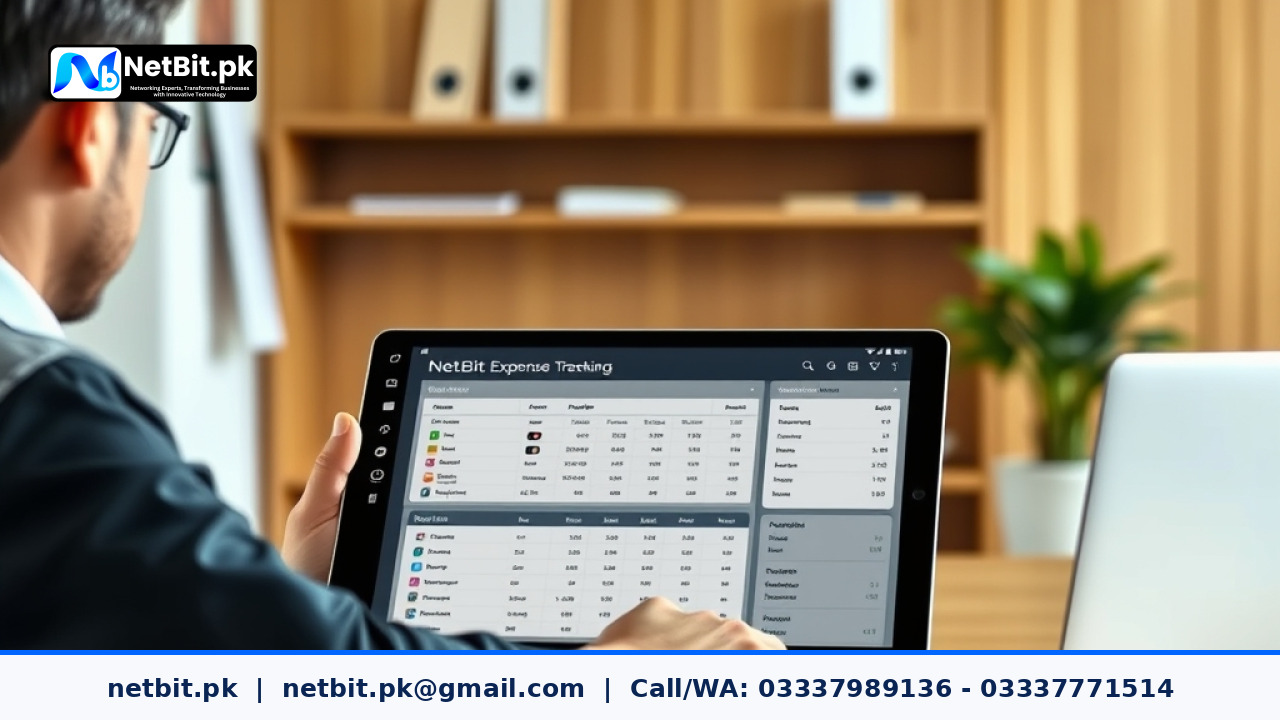
Tired of Missing Paper Receipts and Petty Cash Discrepancies?
In almost every workplace, daily cash expenses are unavoidable. Whether it is buying tea for office guests, purchasing emergency stationery, or paying a courier fee, small cash transactions take place every single day. Yet, managing these minor expenses using traditional paper vouchers and physical cash boxes is one of the most stressful parts of office administration.
Paper receipts get misplaced, hand-written vouchers lack clear approvals, and by the end of the month, the accounts team spends days hunting down receipts to balance the cash register. Implementing a simple office automation workflow solves this headache completely. In this tutorial, we will walk you through setting up a reliable, step-by-step automated petty cash tracking and reconciliation system that keeps your records accurate, auditable, and stress-free.
Understanding the Core Structure of an Automated Petty Cash Workflow
Before building forms and automated rules, it is helpful to understand the life cycle of a petty cash transaction. A typical automated system consists of four basic stages:
- Digital Submission: An employee submits an expense request or cash claim through a mobile or web form, attaching an image of the physical bill or receipt.
- Immediate Line Approval: The office manager or department supervisor gets an alert to verify the legitimacy of the expense and approve the payout.
- Cash Disbursement Logging: The petty cash custodian (the person holding the cash box) marks the payment as disbursed once physical cash is handed over.
- Automated Ledger Posting: The system automatically categorizes the expense under the correct accounting head and deducts the amount from the available cash float.
By moving this sequence into an automated pipeline, your office gets instant visibility over every single rupee spent, without relying on manual ledger books.
Step 1: Define Standard Expense Categories and Float Thresholds
The first practical step in your automation setup is establishing strict boundaries. Without predefined boundaries, employees may submit claims that do not belong to petty cash, such as large utility bills or supplier equipment payments.
Establish Common Expense Categories
Configure a drop-down menu in your automation form containing standard categories such as:
- Office Refreshments and Hospitality
- Local Courier and Postal Charges
- Daily Cleaning and Janitorial Supplies
- Local Travel and Fuel Reimbursements
- Emergency Stationery and Printing
Set Spending and Float Limits
Define two essential monetary limits in your system:
- Single Transaction Limit: Any expense above a fixed amount (for example, 3,000 PKR) should require additional administrative clearance or should not be processed through petty cash.
- Minimum Balance Alert: Set an automated threshold alert (such as 10,000 PKR remaining out of a 50,000 PKR total float). When the balance hits this line, the system notifies the finance manager to replenish the cash drawer.
Step 2: Design the Digital Submission Form
A clean, mobile-friendly input form ensures that staff members can record expenses in real time instead of hoarding paper receipts for weeks. Build your digital voucher form with the following required input fields:
Date and Time:Automatically captured by the system.Claimant Name and Department:Auto-populated from the user profile.Expense Category:Selected from your predefined drop-down list.Total Amount:A numeric field with strict validation preventing negative numbers.Purpose Description:A brief explanation of the expenditure.Receipt Attachment:A mandatory image upload field allowing the employee to snap a quick photo of the physical cash memo or vendor slip.
Ensuring that the receipt upload is mandatory prevents unverified claims from ever entering the system.
Step 3: Configure Multi-Step Verification and Approval Routing
Once an expense record is submitted, your office automation platform must route it through the proper validation chain without human delays.
Standard Approval Path
Set up conditional routing rules based on the claimed amount:
- Standard Minor Claims: For claims below 1,500 PKR, route the digital voucher directly to the immediate operational supervisor. Once approved, it notifies the cash custodian for disbursement.
- Higher Minor Claims: For claims between 1,500 PKR and the maximum petty cash cap, configure a two-tier rule requiring approval from both the direct supervisor and the operations lead.
Your workflow software should send quick actionable notifications via email, team messaging apps, or direct SMS alerts. The supervisor can review the attached image of the receipt and click Approve or Reject with a single tap.
Step 4: Set Up the Cash Custodian Disbursement Dashboard
Approving a voucher is only half the battle; ensuring that actual cash leaves the physical drawer safely is equally important. Create a dedicated queue for the petty cash custodian:
- When a claim is approved, it appears instantly on the custodian’s disbursement screen.
- The claimant visits the custodian, receives the physical cash, and confirms receipt via a quick digital signature or a temporary one-time security code sent to their phone.
- The custodian clicks
Disbursed, which immediately locks the digital record from any further edits.
This simple checkpoint ensures that physical cash disbursements match digital approvals perfectly at all times.
Step 5: Automate Balance Reconciliation and Replenishment Reports
The real power of office automation lies in closing out the month without stress. Instead of spending hours matching receipts with calculator tapes, your system can reconcile balances automatically.
Configure your workflow tool to generate a scheduled reconciliation report every Friday evening or at the end of each month. The automated script runs the following logic:
- Calculates total cash float assigned at the start of the cycle.
- Subtracts all records tagged as
Disbursedduring the cycle. - Sums remaining physical cash reported by the custodian during the evening count.
- Flags any mathematical variance instantly with a detailed breakdown of all transactions by category.
When the replenish threshold is reached, the system automatically drafts a petty cash replenishment request, compiles all digital receipts into a clean PDF summary, and sends it directly to the head of accounts for check issuance.
Best Practices for a Smooth Transition in Your Organization
Transitioning from paper vouchers to automated workflows requires clear communication with your administrative and accounts teams. Keep these practical tips in mind:
- Keep Mobile Uploads Simple: Ensure that your digital forms load fast on local smartphone connections so office boys and field staff can upload receipts without frustration.
- Retain Physical Paper Safely: Keep a physical numbered envelope in the office where paper receipts are deposited after being photographed. If an auditor asks to inspect original tax receipts, they can be located in minutes using the voucher number.
- Review Category Totals Monthly: Use your automated dashboard to identify recurring patterns. If your office spends significant petty cash on unexpected stationery every week, it might be more cost-effective to negotiate bulk vendor purchasing.
Transform Your Day-to-Day Office Workflows with NetBit
Manual administrative tasks drain productive energy, slow down business operations, and introduce costly bookkeeping errors. Whether you are managing petty cash, tracking administrative assets, or organizing team correspondence, smart digital workflows can give your business complete operational clarity. At NetBit, we build tailored business management tools and custom automated systems that fit the exact operational realities of your workplace.
As technology partners, the team at NetBit Tech software house understands that successful office automation is not just about writing code; it is about creating straightforward, dependable systems that your staff will actually enjoy using every single day. From our regional development base at NetBit Khuzdar to forward-thinking enterprises across Pakistan, NetBit software solutions help organizations transition from confusing paper clutter into smooth, automated performance.
Are you feeling overwhelmed by daily administrative delays and manual tracking errors? Discover how easy your workplace operations can become when technology works for you. Visit netbit.pk today and consult directly with our experienced automation specialists. Let NetBit Tech design an intelligent, reliable office automation system that protects your business resources, simplifies your team’s daily workload, and gives you total peace of mind.



Reader comments.
Share your question, suggestion or experience related to this article.
No comments yet
There are no approved comments on this article yet. You can be the first person to leave one.