
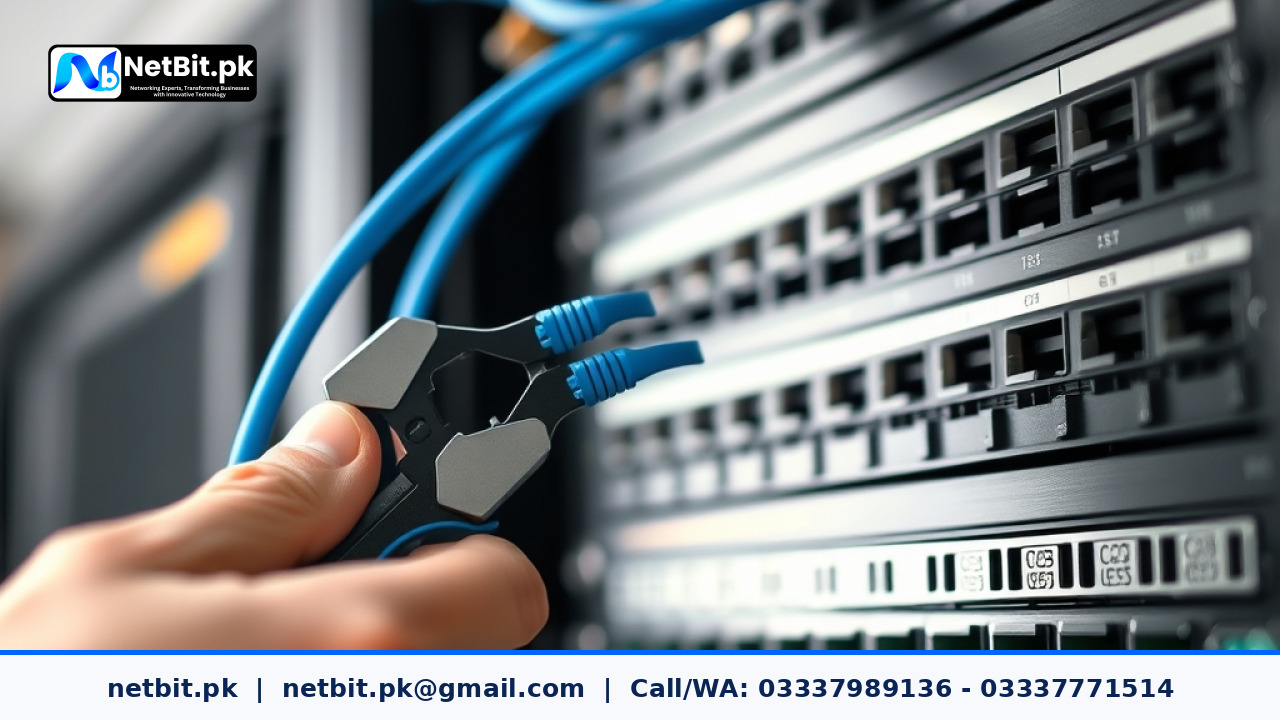
In modern office environments across Pakistan, a reliable computer network is just as vital as continuous electricity. Whether managing an accounting firm in Quetta, a retail enterprise, or a corporate workspace in Khuzdar, your business productivity depends directly on the stability of your local area network (LAN). Far too often, growing companies suffer from random connectivity drops, slow file transfers, and mysterious server outages simply because their physical cabling was installed without proper planning.
Structured cabling is the standardized architecture of cables, connectors, and patch panels that connects every workstation, desktop computer, Wi-Fi access point, and CCTV camera to your central network switch. When done correctly, structured network cabling provides a clean, easily maintainable foundation that supports high-speed data transfer for years without headache.
Why Unstructured Cabling Harms Business Operations
Many office managers start by running loose Ethernet patch cords across floors or through false ceilings whenever a new employee joins the team. While this quick-fix approach seems cheap initially, it quickly turns into a tangled messy network often referred to as a 'spaghetti rack'. Unstructured wiring introduces several significant risks for Pakistani businesses:
- Interference and Signal Loss: Running unshielded Cat6 cables parallel to high-voltage electrical wiring or heavy power equipment causes electromagnetic interference (EMI), leading to packet loss and sluggish file downloads.
- Extended Troubleshooting Time: When an internet port at a workstation stops functioning, network technicians must waste hours tracing an unlabeled wire through crowded PVC ducts.
- Physical Cable Damage: Pinched wires behind desks or sharp bends inside ceiling tiles break the internal copper twisted pairs, creating intermittent network faults that are difficult to diagnose.
- Heat Trapping: Stuffed, unorganized server racks block airflow, causing network switches and routers to overheat and fail prematurely during hot summer months.
Core Components of an Office Structured Cabling System
Building a robust IT infrastructure requires picking the right physical hardware suited for your facility's scale and distance requirements. Here are the main building blocks every office network layout needs:
1. Network Cables (Cat6, Cat6A, and Fiber Optics)
For standard workplace desktop connections reaching up to 90 meters, Category 6 (Cat6) copper cable remains the industry standard, supporting transfer speeds up to 1 Gigabit per second (Gbps). For multi-story buildings or links connecting main distribution frames (MDF) to floor switches, fiber optic patch cords and backbone cables are recommended to eliminate distance limitations and electrical interference.
2. Keystone Jacks and Patch Panels
Rather than plugging long horizontal cables directly into network switches, structured wiring terminates solid copper cables into modular keystone jacks mounted on wall plates. From the wall plate, short patch cords connect to user computers. At the server rack side, cables terminate neatly into rack-mounted patch panels. This structure protects permanent wall cables from constant pulling and physical wear.
3. Cable Trays, PVC Trunking, and Conduits
Physical protection keeps network cables organized and safe from dust, moisture, and accidental cuts. Using wall-mounted PVC ducting inside office rooms and overhead metal wire trays above dropped ceilings ensures neat cable runs throughout your office layout.
Step-by-Step Guide to Planning Your Office Cable Layout
Whether setting up a fresh office space or modernizing an existing facility, following a disciplined installation workflow prevents costly re-work later.
Step 1: Conduct a Comprehensive Floor Survey
Start by mapping out every active workstation, printer station, outdoor wireless bridge location, and security camera point. Always plan for future growth by adding 20% to 30% extra Ethernet drops around major office work zones.
Step 2: Establish the Central Server Rack Room
Select a secure, dry, and well-ventilated dedicated room for your network rack cabinet. Ensure the server rack sits clear of water pipes and direct sunlight. Mount your main patch panels, managed PoE switches, and uninterruptible power supplies (UPS) inside a standard 19-inch rack enclosure.
Step 3: Route Cabling with Proper Separation
When running Cat6 copper cables through ceiling channels or wall channels, maintain a minimum distance of 12 inches from AC electrical power lines. If crossing electrical wires is unavoidable, cross them at a strict 90-degree angle to minimize electromagnetic noise distortion.
Step 4: Maintain Cable Bend Radius and Termination Standards
Never bend copper network cables sharply around tight corners; maintaining a minimum bend radius (usually four times the cable diameter) prevents internal conductor strain. Standardize all cable terminations using the T568B wiring scheme across patch panels and RJ45 jacks for consistency.
Step 5: Label Everything and Test Every Drop
Assign a unique identification code to every wall outlet and corresponding patch panel port (e.g., RJ-01-A for Room 1, Port A). Use professional cable verifiers to test wire continuity, split pairs, and signal speed before signing off on the physical installation.
Frequently Asked Questions
Can I use standard home-grade Cat5e cable for a business office?
While Cat5e cable supports gigabit speeds over short distances, standard Cat6 features tighter wire twisting and an internal spline that reduces crosstalk. Investing in high-quality Cat6 or Cat6A ensures long-term bandwidth capacity for voice-over-IP (VoIP), video conferencing, and heavy cloud applications.
How far can a Cat6 network cable run without losing signal?
The maximum recommended distance for a solid-copper Cat6 horizontal cable run is 90 meters (295 feet), plus an additional 10 meters combined for patch cables at both ends. For distances exceeding 100 meters, fiber optic cabling should be installed to bridge the connections.
Why should network cables be terminated on patch panels instead of direct switch plugs?
Directly plugging horizontal wall cables into switch ports causes strain on the internal wire strands whenever switches are moved or serviced. Patch panels keep permanent wiring stationary while allowing easy network changes using replaceable patch cords.
Build a Dependable IT Infrastructure with NetBit Tech
Designing and deploying an organized, certified network infrastructure requires technical precision, quality materials, and experienced field execution. At NetBit Software House & Technology, based in Khuzdar, Pakistan, we help local enterprises, educational institutes, and growing businesses establish reliable IT foundations.
Our dedicated hardware and networking team handles end-to-end IT infrastructure projects, including:
- Structured Cat6 copper cabling and high-speed fiber optic link installations.
- Server rack assembly, patch panel termination, and professional cable management.
- Enterprise Wi-Fi deployments using LiteBeam and PowerBeam wireless point-to-point bridges.
- Managed network switch configuration, VLAN segmentation, and commercial CCTV installation.
- Custom software development, desktop management systems, and complete IT maintenance services.
Stop letting messy wires and constant network drops slow down your business operations. Contact NetBit Tech today to schedule an on-site IT infrastructure assessment and upgrade your office connectivity with expert precision.



Reader comments.
Share your question, suggestion or experience related to this article.
No comments yet
There are no approved comments on this article yet. You can be the first person to leave one.