
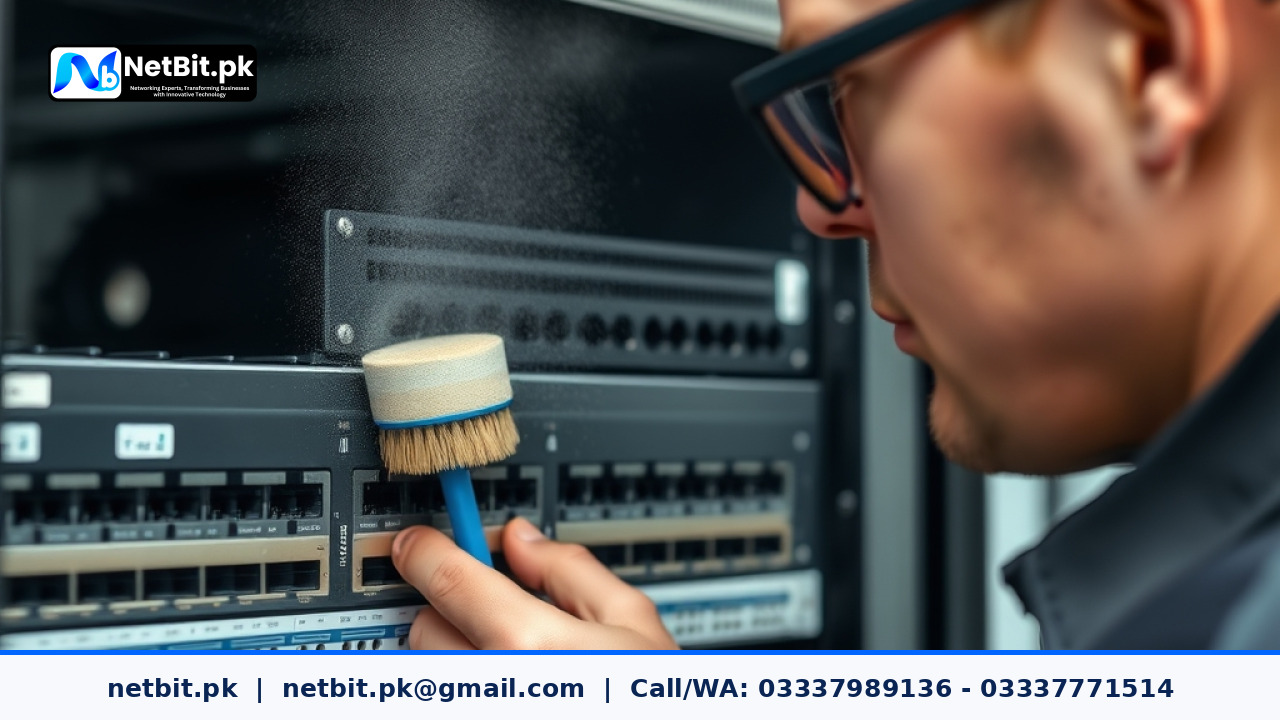
Network switches serve as the central nervous system of modern office communications, connecting computers, IP security cameras, access points, and servers into a cohesive local network. In many Pakistani offices and commercial facilities—especially across dust-prone regions like Khuzdar, Quetta, and interior Sindh—hardware environments present unique operational challenges. Dust accumulation, summer high temperatures, and inconsistent power conditions accelerate wear on sensitive networking equipment.
Ignoring physical maintenance on network switches often leads to unexplainable packet loss, port failures, thermal throttling, or total hardware burnout. Establishing a routine physical cleaning and inspection protocol ensures continuous uptime for your business infrastructure.
Why Network Switch Maintenance Matters for Pakistani Businesses
In standard business operations, network switches are typically mounted inside server racks or wall boxes and left running continuously. Over time, internal cooling fans draw ambient air through side and rear ventilation grilles. Along with air comes fine dust particles, airborne debris, and lint.
When dust builds up inside a switch chassis, several physical problems develop:
- Thermal Overheating: Dust coats internal heat sinks and component chips, creating an insulating blanket that trapped heat inside the casing.
- Fan Strain and Mechanical Failure: Small cooling fans work harder to pull air through clogged grilles, leading to bearing wear, noise, and premature fan breakdown.
- Port Contact Corrosion: Fine dust inside unused RJ45 ports and SFP slots can trap ambient moisture, leading to pin oxidation and poor signal transmission.
- Electrical Shorts: In humid conditions, conductive dust particles can cause subtle voltage leaks across PCB traces, leading to unexplained switch reboots.
By conducting regular physical cleanings, business owners and IT personnel can double the operational lifespan of their switches and maintain consistent local network speeds.
Step-by-Step Guide to Cleaning and Inspecting Network Switches
Proper physical maintenance requires a structured approach to protect delicate circuit boards and copper contacts from static discharge or mechanical damage. Follow these practical steps during your scheduled maintenance window.
Step 1: Plan Your Maintenance Window and Backup Configuration
Never disconnect or clean live networking equipment during regular working hours. Schedule maintenance during non-peak hours, such as weekends or late evenings.
- Log into your managed switch's management console using your admin credentials.
- Export and save the latest configuration file to a secure local computer or cloud backup.
- Gracefully power down connected devices if necessary, then disconnect the switch from its main AC power supply or Uninterruptible Power Supply (UPS).
Step 2: Disconnect and Label Ethernet and Fiber Cabling
Before unmounting the switch from the rack, carefully unplug all patch cords.
- Use numbered cable tags or color-coded clips to record which Cat6 cable or fiber patch cord belongs to each port.
- Inspect Ethernet cable boots and RJ45 clip retainers. Replace any cables with broken retention clips, as loose connections cause intermittent link drops.
- Insert plastic dust caps into open fiber patch cords and SFP transceiver slots immediately upon disconnection.
Step 3: Remove Loose Surface Dust and Clean External Ventilation
Bring the switch to a clean, well-lit workbench equipped with anti-static protection.
- Use Compressed Air: Hold an anti-static compressed air can upright (or use an ESD-safe electric air blower) roughly 6 inches away from ventilation grilles. Spray short bursts of air across the side intake vents to blow loose dust out of the casing.
- Clean External Surfaces: Wipe down the metal chassis using a dry, lint-free microfiber cloth. For stubborn grease or smudges on exterior metal panels, lightly dampen the cloth with 70% isopropyl alcohol, ensuring no moisture enters open ports or vent slots.
Step 4: Inspect RJ45 Ports and SFP Transceiver Bays
Examine individual network ports under a bright inspection light or flashlight.
- Check inside each RJ45 port for bent contact pins, debris, or dust buildup.
- Use an ESD-safe soft nylon brush to gently clear dust from port openings. Avoid using metallic tools or harsh cotton swabs that leave loose fibers inside port pins.
- Inspect SFP optical cages for obstruction. If SFP modules are removed, ensure dust caps are placed over optical receivers.
Step 5: Verify Fan Operation and Power Supply Integrity
Before re-installing the switch in your rack cabinet, check physical power connections and fan assemblies.
- Spin cooling fan blades manually with a plastic pick to ensure smooth mechanical rotation without clicking or resistance.
- Inspect the power cord receptacle on the back panel for loose fittings, burn marks, or physical play.
- Check the switch rack ears and mounting screws to ensure secure re-attachment.
Recommended Maintenance Schedules for Business Environments
The ideal cleaning frequency depends heavily on the physical location of your office rack cabinets:
- Standard Air-Conditioned Offices: Perform complete physical inspection and dust cleaning every 6 months.
- Dust-Prone or Non-Air-Conditioned Locations: Perform physical cleaning every 3 months.
- Industrial Warehouses or Retail Outlets: Conduct monthly visual inspections and bi-monthly air blower cleanings.
Optimize Your IT Infrastructure with NetBit Tech
Maintaining business networking hardware requires systematic care, specialized tools, and experienced technical handling. At NetBit Software House & Technology based in Khuzdar, Pakistan, we help local businesses, educational institutions, and commercial enterprises build, secure, and maintain high-performance IT environments.
Our technical team specializes in turnkey structured cabling (Cat6, fiber optics), managed network switch configuration, wireless point-to-point bridging (LiteBeam, PowerBeam), commercial CCTV surveillance installations, custom web applications, and comprehensive IT maintenance contracts. Whether you need an office network health audit or complete IT infrastructure management, NetBit is your trusted local technology partner in Balochistan and across Pakistan.
Contact NetBit Tech today to schedule a professional IT maintenance consultation for your business offices.



Reader comments.
Share your question, suggestion or experience related to this article.
No comments yet
There are no approved comments on this article yet. You can be the first person to leave one.