
Understanding the Impact of Pakistan's Climate on Computer Systems
In many regions of Pakistan, especially during the peak summer months in areas like Khuzdar, Sindh, and Southern Punjab, ambient temperatures can frequently exceed 40°C. For computer systems, this environment presents a significant challenge. Unlike computers in temperate climates, systems operating in Pakistan require specialized attention to prevent thermal throttling, hardware degradation, and unexpected shutdowns.
At NetBit Software House, we often see hardware failures that could have been prevented with basic thermal management. Whether you are a student using a laptop for coding or a business running a suite of desktop workstations, understanding how to manage heat is essential for protecting your investment.
What Happens When a CPU Overheats?
The Central Processing Unit (CPU) is the brain of your computer. As it processes data, it generates heat. Computer systems are designed with built-in safety mechanisms. When the internal temperature reaches a certain threshold (usually around 90°C to 100°C), the system engages in "thermal throttling." This reduces the clock speed of the processor to generate less heat, which results in noticeable lag and slow performance. If the temperature continues to rise, the system will force a hard shutdown to prevent permanent physical damage to the silicon chips.
Practical Cooling Strategies for Local Users
Managing heat in a high-temperature environment requires a combination of physical maintenance and environmental control. Here are the most effective ways to keep your computer systems running cool.
1. Regular Dusting and Physical Cleaning
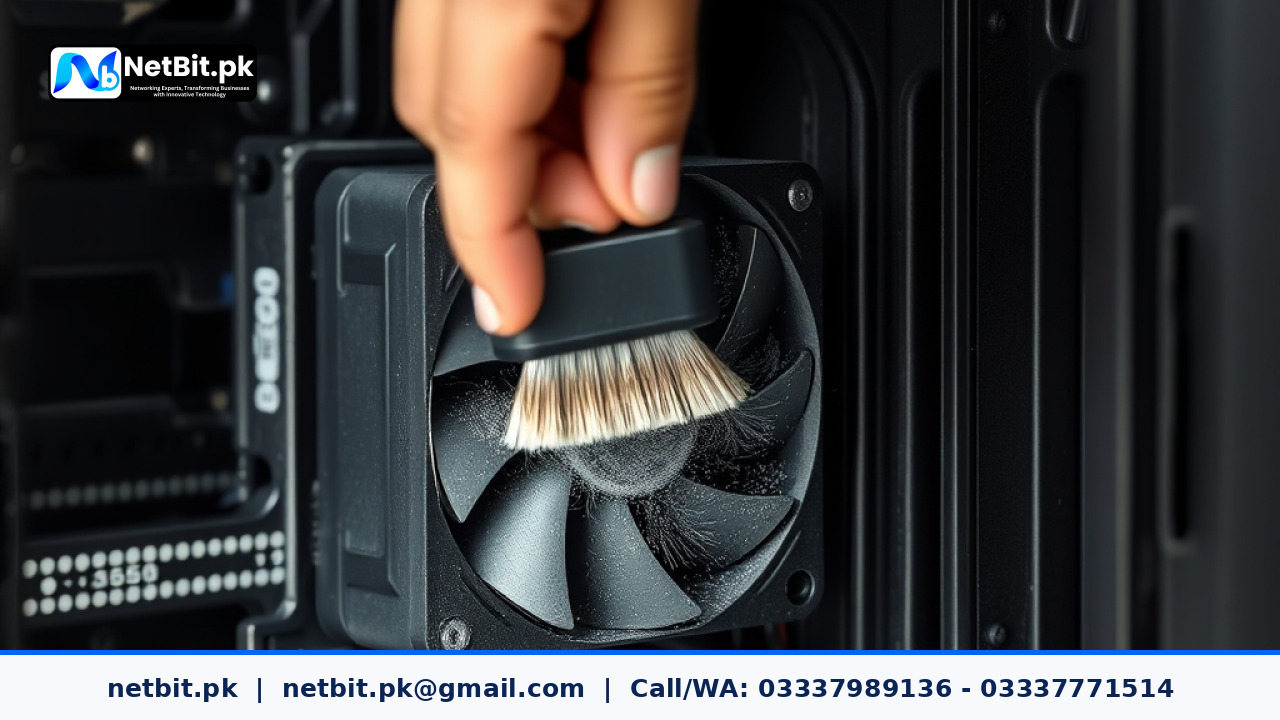
In Pakistan, dust is a constant factor. Dust accumulates inside computer cases and laptop vents, forming a thick layer of insulation on heat sinks and fan blades. This prevents cool air from reaching the components and stops hot air from escaping. We recommend cleaning your desktop internal components every three to six months using a can of compressed air or a specialized electronic blower. Pay close attention to the CPU cooler fins and the power supply unit (PSU) intake.
2. Optimizing Airflow Within the Chassis
For desktop computer systems, the way air moves through the case is critical. A standard "Positive Pressure" or "Balanced" airflow setup is ideal. This involves having intake fans at the front and bottom of the case and exhaust fans at the back and top. Ensure that no cables are dangling in front of the fans, as messy wiring can disrupt the air path and create "hot spots" inside the machine.
3. Thermal Paste Maintenance
Between your CPU and its metal heat sink is a thin layer of thermal paste. This paste fills microscopic gaps to ensure maximum heat transfer. Over time, especially in hot climates, this paste can dry out and become brittle, losing its effectiveness. If your computer system is more than two years old and running hot, it may be time to carefully remove the old paste and apply a fresh, high-quality pea-sized amount of thermal compound.
Hardware Upgrades for Better Heat Management
Sometimes, the stock cooling solution provided with a processor is not enough for the Pakistani summer. If you find your system struggling, consider these upgrades:
- Aftermarket Air Coolers: Replacing a stock cooler with a larger tower cooler featuring copper heat pipes can significantly lower temperatures.
- High-Static Pressure Fans: These fans are designed to push air through tight spaces like radiator fins or cluttered cases more effectively than standard fans.
- Laptop Cooling Pads: For students and freelancers, a cooling pad with large fans can provide an extra 3-5 degrees of thermal headroom by increasing the airflow to the bottom intake vents of a laptop.
Software-Level Monitoring and Optimization
You cannot manage what you do not measure. Using software tools allows you to keep an eye on your system's health in real-time. We recommend using lightweight utilities like HWMonitor or Core Temp to check your idle and load temperatures. Ideally, an idle CPU should stay between 35°C and 50°C, while under heavy load (like video editing or gaming), it should stay below 85°C.
Additionally, adjusting your Windows Power Plan can help. Switching from "High Performance" to "Balanced" allows the CPU to lower its voltage and clock speed when you are just browsing the web or typing documents, reducing the overall heat output of the system.
Frequently Asked Questions (FAQs)
Is it safe to run my computer without the side panel open?
While it might seem like it helps, opening the side panel can actually disrupt the intended airflow of the case and allow even more dust to settle on the components. It is better to improve the fan configuration than to leave the case open.
Can high humidity affect my computer system?
Yes, high humidity combined with dust can create a conductive grime that may lead to short circuits. In coastal cities like Karachi or during the monsoon season, keeping your computer in a well-ventilated or air-conditioned room is highly recommended.
Does NetBit Tech provide hardware maintenance services?
Yes, NetBit Khuzdar provides comprehensive IT maintenance, including internal cleaning, thermal paste replacement, and airflow optimization for business workstations and server environments.
Professional Computer System Maintenance by NetBit Tech
Maintaining the health of your IT infrastructure is not just about fixing things when they break; it is about preventing failure before it happens. At NetBit Software House & Technology, we specialize in ensuring that your business computer systems are optimized for the unique environmental challenges of Pakistan. From professional hardware servicing and networking to custom software development, our team brings technical excellence to every project.
Don't let the summer heat slow down your productivity or damage your expensive hardware. Whether you need a single workstation tuned up or an entire office network maintained, NetBit Tech is your trusted partner in Khuzdar and beyond. Contact NetBit today to schedule a professional maintenance check for your systems and ensure your technology remains as resilient as your business.



Reader comments.
Share your question, suggestion or experience related to this article.
No comments yet
There are no approved comments on this article yet. You can be the first person to leave one.