
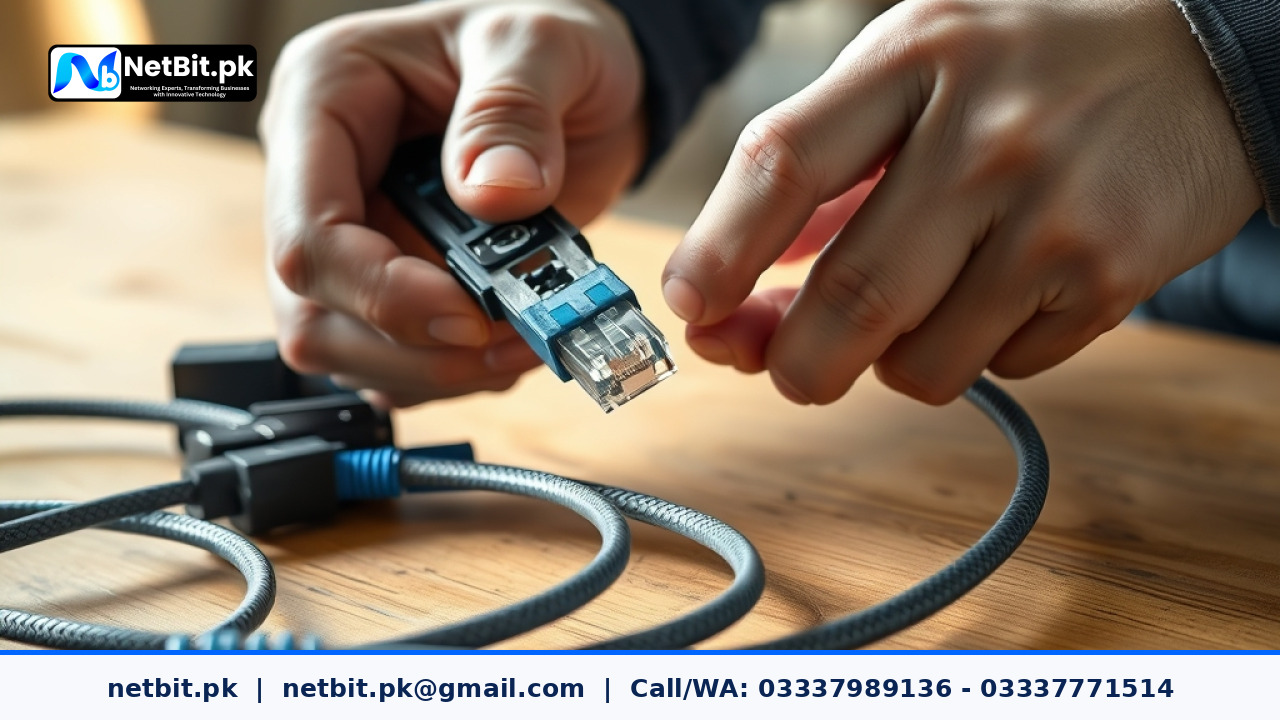
Understanding Cat6 Cabling Standards in Modern Office Networks
A reliable office network forms the foundation of modern business operations, whether you are running custom software, managing cloud databases, or operating high-definition CCTV systems. In Pakistan, where fluctuating electricity and hardware interference can cause erratic connectivity, physical infrastructure matters immensely. Poorly terminated Cat6 cables are among the leading causes of hidden network drops, packet loss, and frustratingly slow data transfers. To ensure seamless connectivity across your workplace, understanding the correct procedures for stripping, wiring, terminating, and testing Cat6 cables is essential.
At netbit, our field technicians frequently encounter disorganized wiring setups and faulty terminations that compromise entire business networks. Implementing industry-standard wiring practices not only extends the lifespan of your physical infrastructure but also guarantees optimal gigabit speeds for your office computers and servers.
Tools and Materials Required for Professional Cable Termination
Before beginning any cabling project, gathering the correct tools ensures precision and prevents costly mistakes. Attempting to terminate twisted-pair cables with substandard tools often results in loose pins and intermittent connection failures.
- Cat6 UTP Cable: High-grade solid copper cables designed to minimize crosstalk and electromagnetic interference.
- RJ45 Pass-Through Connectors: Modern connectors that allow individual wires to pass completely through the front, making visual verification of the color sequence much easier.
- Ratchet Crimping Tool: A calibrated tool designed to crimp the pins evenly and secure the cable jacket firmly in place.
- Cable Stripper: Designed to score the outer PVC jacket without nicking the inner insulated copper conductors.
- RJ45 Cable Tester: A battery-operated continuity tester required to verify pin-to-pin wiring correctness.
Step-by-Step Guide to Stripping and Arranging Cat6 Wires
Precision is critical when preparing twisted-pair cables for termination. Follow these precise steps to prepare your Cat6 cable for standard RJ45 connectors:
- Strip the Outer Jacket: Measure approximately two inches from the end of the cable. Use the cable stripper to score the outer PVC jacket carefully, rotate it once, and strip away the jacket to expose the four twisted pairs and the central spline.
- Remove the Spline and Rip Cord: Cut away the plastic central cross-web (spline) that separates the pairs, and trim the stray nylon rip cord.
- Untwist and Align the Wires: Untwist the individual wires completely and straighten them out. Arrange them strictly according to the T568B wiring standard, which is widely adopted across Pakistan for commercial networking:
- Pin 1: White-Orange
- Pin 2: Solid Orange
- Pin 3: White-Green
- Pin 4: Solid Blue
- Pin 5: White-Blue
- Pin 6: Solid Green
- Pin 7: White-Brown
- Pin 8: Solid Brown
Crimping and Cable Testing Best Practices
Once the wires are aligned in the exact T568B sequence, hold them tightly between your thumb and index finger. Trim the ends evenly using sharp wire cutters so that only half an inch of exposed copper remains beyond the cable jacket. Carefully push the wires into the RJ45 pass-through connector, ensuring every wire reaches the front tip and matches the correct color slot. Insert the connector into the ratchet crimping tool and squeeze firmly until the ratchet releases.
Never skip the testing phase. Plug both ends of the newly terminated cable into your RJ45 continuity tester. Verify that LEDs 1 through 8 light up sequentially in the exact same order on both the main and remote units. A split pair, crossed wire, or open circuit will immediately show up as a mismatched LED sequence or a dark bulb, allowing you to fix the termination before deploying the cable behind office walls or ceilings.
Professional Networking and IT Infrastructure Solutions by NetBit Tech
Building a robust physical network requires professional expertise, precise cable management, and heavy-duty hardware installation. If your business in Khuzdar or across Pakistan is experiencing network bottlenecks, unstable connections, or tangled server racks, netbit tech is here to help. Operating out of Khuzdar, our experienced engineers specialize in end-to-end IT infrastructure services, including structured Cat6 cabling, fiber optic patch cord deployment, network switch configuration, LiteBeam wireless links, and comprehensive CCTV surveillance systems. Let netbit software house optimize your office technology environment so your team can work without interruption. Contact our team today to schedule an on-site network audit and professional installation consultation.


Reader comments.
Share your question, suggestion or experience related to this article.
No comments yet
There are no approved comments on this article yet. You can be the first person to leave one.