
IT Infrastructure News: Modernizing Inter-Building Connectivity Across Pakistan
As commercial enterprises, educational institutions, and manufacturing units across Pakistan expand across multi-building campuses, establishing fast and secure local network connections between separated facilities has become a critical operational priority. Traditionally, connecting a main office to a warehouse, secondary branch, or security gatehouse across several hundred meters required heavy civil works, trenching, and expensive subterranean fiber optic cable laying. Modern IT infrastructure standards across Pakistan have shifted toward deploying high-throughput, outdoor wireless bridges—such as Ubiquiti PowerBeam and LiteBeam radios—to link isolated facilities instantly without physical ground disturbance.
For businesses in commercial hubs and regional centers like Khuzdar, Balochistan, implementing standardized outdoor point-to-point (PtP) and point-to-multipoint (PtMP) wireless bridges offers a reliable, low-latency extension of the core local area network (LAN). When engineered and configured properly, these high-frequency radio links deliver reliable gigabit-class throughput for voice, data, and centralized CCTV security feeds across distances ranging from several hundred meters to over ten kilometers.
Understanding Outdoor Point-to-Point Wireless Infrastructure
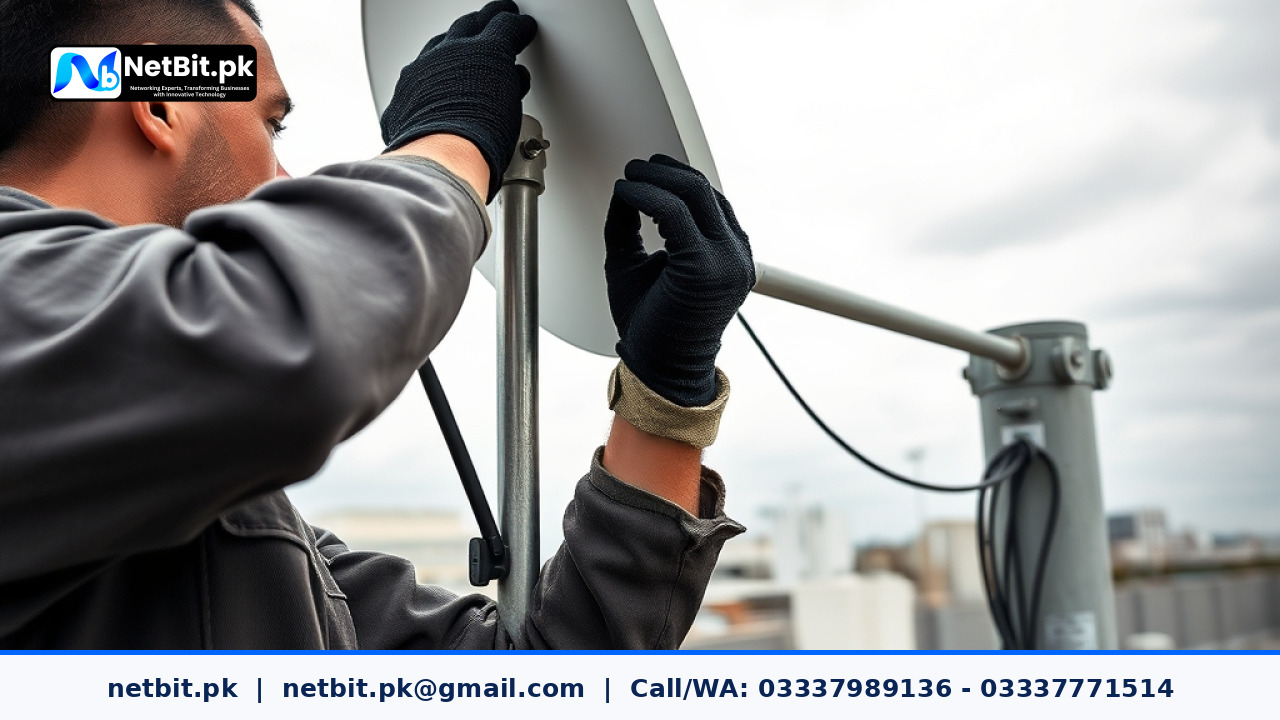
An outdoor wireless bridge functions as a invisible network cable over the air. Instead of running physical copper Cat6 or glass fiber between two points, a pair of directional radio dishes are mounted on rooftops or elevated steel towers. One device acts as the access point (AP) connected to the primary core switch, while the remote dish functions as the station receiver connected to a secondary switch or router.
Key Advantages of Radio Bridge Links in Regional Operations
- Rapid Deployment: Physical installation and alignment can be completed within hours rather than weeks of civil trenching.
- Cost Savings: Eliminates high fiber-optic excavation costs, municipal permit fees, and right-of-way complications.
- High Throughput: Modern airMAX and airFiber systems easily sustain throughput ranges from 300 Mbps to over 1 Gbps, supporting real-time video surveillance streams and heavy database queries.
- Low Latency: Direct line-of-sight wireless links typically introduce less than 2 to 5 milliseconds of network latency, matching wireline performance.
Technical Requirements for Reliable Wireless Bridge Deployments
Deploying outdoor radio links in Pakistani climate conditions—where high ambient temperatures, dust storms, and heavy monsoon rains occur—requires strict adherence to hardware alignment, electrical grounding, and physical mounting protocols.
1. Clear Line of Sight and Fresnel Zone Clearance
Unlike indoor Wi-Fi networks that can pass through plaster walls, outdoor directional antennas operating at 5 GHz or 60 GHz frequencies require an unobstructed optical Line of Sight (LoS). Furthermore, technicians must account for the Fresnel Zone—an elliptical area surrounding the visual beam path. Trees, tin roofs, surrounding concrete structures, and utility poles intruding into this zone cause signal reflections, phase cancellation, and dropped packets.
2. High-Grade Shielded Cabling and Surge Protection
Outdoor radio units receive Power over Ethernet (PoE) via a single network cable run down from the roof mast to the indoor equipment rack. Using standard indoor Cat6 cable outdoors quickly leads to jacket deterioration, water ingress, and short circuits under direct sunlight. IT standards demand the use of tough, UV-resistant, shielded twisted pair (STP) outdoor Cat6 cables paired with ESD-grounded RJ45 connectors.
Additionally, Ethernet surge protectors must be installed at both entry points: where the cable leaves the outdoor mast and where it enters the indoor server enclosure. Grounding wire connected directly to an earth ground stake diverts static build-up and lightning surges away from active network switches.
3. Precision Alignment and Channel Selection
A minor mounting offset of just a few degrees on a long-distance antenna can cause the narrow main transmission beam to miss the target receiver entirely. Field engineers use signal strength software indicators and hardware signal meters to tune azimuth and elevation angles until maximum Receive Signal Strength Indicator (RSSI) values (ideally between -50 dBm and -65 dBm) are achieved.
To avoid local wireless interference, installers run spectrum analysis scans across the 5 GHz band using tools like airView. Selecting clean, non-overlapping channels ensures high channel capacity and low noise floors, preventing packet retransmissions.
Step-by-Step Wireless Bridge Setup Workflow
System administrators can follow this concise engineering workflow when deploying inter-building radio links for business facilities:
- Site Survey: Perform elevated visual checks and elevation mapping to verify line-of-sight path clearance.
- Pre-Configuration: Unbox and configure both dish units on a bench test environment before roof mounting. Assign static IP addresses, set matching network IDs (SSIDs), enable WPA2-Enterprise or AES-128 encryption, and lock frequencies.
- Physical Installation: Secure heavy-duty galvanized steel poles to solid structural concrete. Mount dish hardware, ensuring all weather-tight cable glands are sealed.
- Precision Alignment: Power both units using PoE injectors. Rotate the receiver dish incrementally until optimal RSSI and Signal-to-Noise Ratio (SNR) metrics are confirmed.
- Network Integration: Plug the indoor Ethernet drop from the PoE injector into a dedicated VLAN port on the main switchboard, verifying trunking protocols if multiple subnets pass over the bridge.
Frequently Asked Questions (FAQs)
Does severe weather affect outdoor wireless bridge performance?
Dense fog, heavy dust storms, and torrential rain can cause minimal atmospheric signal absorption (rain fade), particularly on 60 GHz frequencies. However, properly aligned 5 GHz systems (such as PowerBeam or LiteBeam devices) engineered with an adequate fade margin maintain stable connectivity through extreme weather events.
How secure are outdoor radio links against data interception?
Wireless bridges use highly directional narrow beams that are difficult to intercept physically. When combined with strong AES-128 or WPA2/WPA3 encryption protocols, high-frequency radio bridges match the security standards of physical copper cables.
Can I pass CCTV video feeds across a wireless bridge?
Yes. High-definition multi-channel CCTV surveillance systems routinely stream across outdoor radio links. A single 450 Mbps LiteBeam or PowerBeam link can easily accommodate dozens of high-bitrate 4K IP security cameras simultaneously.
Partner with NetBit Tech for Enterprise IT Infrastructure Solutions
Building a robust, resilient IT infrastructure requires field-tested expertise, precise network planning, and reliable execution. At NetBit Tech, based in Khuzdar, Pakistan, our specialized engineering teams design, install, and maintain enterprise networking solutions, fiber patch interlinks, high-performance PowerBeam and LiteBeam wireless bridges, structured Cat6 cabling networks, and integrated CCTV surveillance systems.
Whether you need to bridge network connectivity between separate business premises, optimize server racks, implement custom enterprise software systems, or upgrade your organization's entire IT infrastructure, netbit software house provides comprehensive end-to-end support tailored to your operational goals. Contact netbit khuzdar today to consult with our network infrastructure specialists and secure your enterprise network foundation.



Reader comments.
Share your question, suggestion or experience related to this article.
No comments yet
There are no approved comments on this article yet. You can be the first person to leave one.