
As commercial operations across Pakistan grow increasingly digital, local area network (LAN) infrastructure is facing higher data demands than ever before. Modern office environments, educational facilities, and industrial compounds are running multi-camera CCTV systems, cloud-connected desktop systems, and real-time database applications simultaneously. In response to these growing bandwidth requirements, IT managers across cities like Karachi, Quetta, and Khuzdar are transitioning away from traditional copper-only uplinks toward high-density fiber optic backbones.
This infrastructural shift represents an essential update for local businesses. Upgrading the core connections that link server rooms to distribution cabinets ensures that internal network traffic flows smoothly without packet loss or signal degradation over extended distances.
The Growing Need for Fiber Backbones in Local Infrastructure
For years, standard Category 6 (Cat6) Ethernet cables served as the primary cabling choice for local network backbones in Pakistani commercial buildings. While Cat6 remains perfect for connecting individual desktop computers, IP phones, and localized surveillance cameras to wall outlets, it introduces distinct physical limitations when serving as a main distribution link across large facilities.
1. Distance and Signal Attenuation Issues
Standard Cat6 copper cabling operates effectively up to a strict limit of 100 meters. Beyond this distance, electrical signals experience attenuation, leading to dropped frames, higher latency, and degraded network speeds. For multi-story commercial buildings or spread-out campus environments, connecting distant rack cabinets with copper wire leads to severe performance degradation.
2. High Electromagnetic Interference (EMI)
In industrial sectors and dense commercial markets, copper Ethernet lines frequently run near high-voltage electrical wiring, air conditioning units, and heavy generator lines. This proximity creates electromagnetic interference (EMI), which corrupts data packets on copper connections. Fiber optic patch cords transmit data using light pulses through glass strands, making them entirely immune to EMI and electrical noise.
3. Bandwidth Bottlenecks at Core Switches
When dozens of workstations and high-definition CCTV streams feed into a floor switch, sending that aggregated data back to the central server cabinet through a single copper gigabit uplink creates a massive traffic bottleneck. Multi-mode and single-mode fiber patch cords connected directly to Small Form-factor Pluggable (SFP) ports provide 10Gbps or higher trunking capacity, eliminating congestion across local networks.
Key Components of a Modern Fiber-Driven Network Architecture
Modernizing local infrastructure does not require discarding your existing setup entirely. Instead, a hybrid model is widely adopted, using copper cabling for edge devices and fiber optics for high-speed central connections.
Distribution and Access Switches with SFP/SFP+ Ports
Upgrading local infrastructure starts at the switch layer. Managed network switches equipped with dedicated SFP or SFP+ uplink ports allow network administrators to connect distribution switches straight to the central core switch. By inserting compatible SFP optical transceivers into these ports, local networks achieve low-latency fiber trunking between separate office floors or server rooms.
High-Quality Fiber Patch Cords
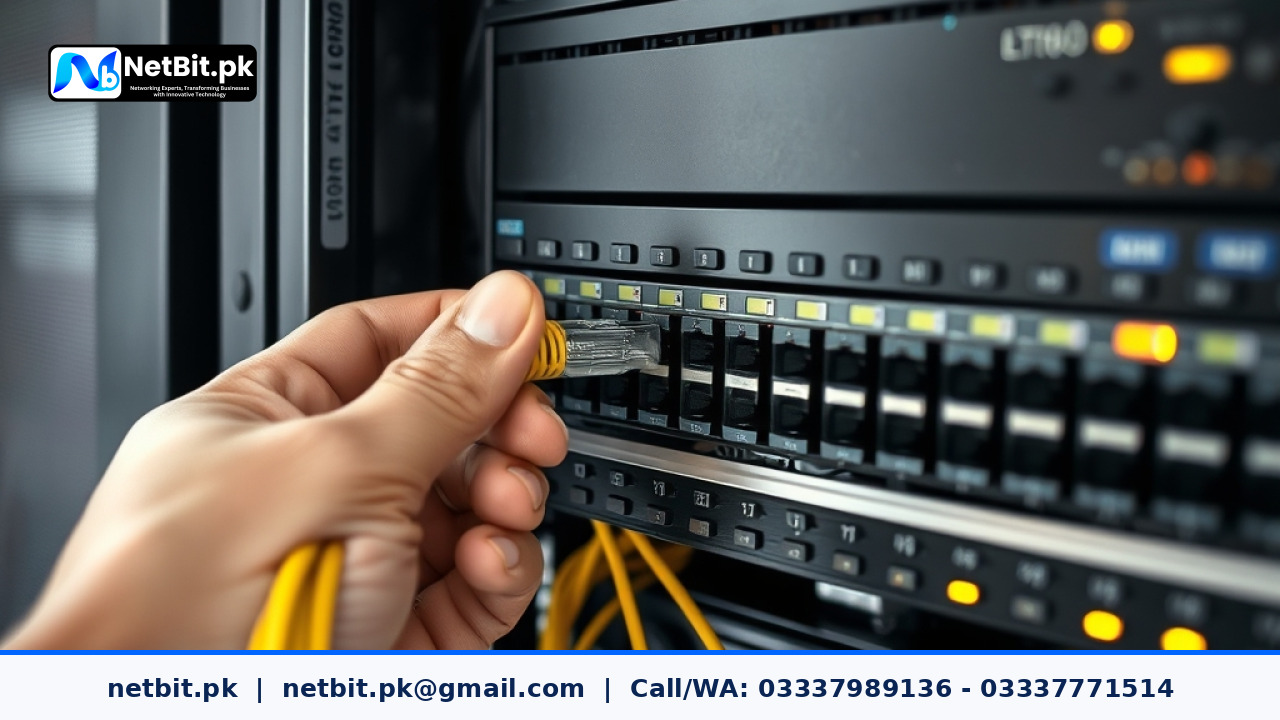
To establish clean connections between patch panels, optical transceivers, and managed switches, reliable fiber patch cords are necessary. Duplex LC-to-LC single-mode or multi-mode patch cords are commonly deployed inside server racks. Proper cable management, including maintaining minimum bend radiuses and keeping fiber end-faces clean, ensures optical loss remains well within acceptable decibel (dB) tolerances.
Integrating Point-to-Point Wireless Links
In regional centers like Khuzdar, where business facilities may span multiple separate structures separated by public roads or open space, running physical fiber optic underground cables can be cost-prohibitive. In these scenarios, network administrators deploy outdoor wireless bridges—such as LiteBeam or PowerBeam systems—to extend the fiber backbone wirelessly. These high-throughput point-to-point wireless links bridge distant buildings back to the main fiber core switch seamlessly.
Practical Steps for Upgrading Office IT Infrastructure
Transitioning an active business network to a fiber backbone requires careful planning to prevent unnecessary downtime during operational hours. Here is a practical roadmap for executing a smooth upgrade:
- Audit Existing Network Load and Equipment: Inspect current switch models to identify whether SFP ports are available. Review peak data usage across department segments to determine whether multi-mode (OM3/OM4 for short distances within 300 meters) or single-mode (OS2 for longer runs) fiber is required.
- Establish Dedicated Cable Trays and Pathways: Ensure optical fiber run paths are free from sharp metallic edges. Avoid tight 90-degree turns that can strain or crack the internal glass cores of fiber cables.
- Deploy SFP Transceivers and Fiber Patch Panels: Terminate vertical fiber runs into rack-mounted fiber enclosure panels using LC or SC couplers. Use pre-tested fiber patch cords to connect the patch panel couplers directly to the SFP ports on your network switches.
- Configure Link Aggregation (LACP): For higher redundancy and doubled throughput, bundle two physical fiber patch cords into a single logical channel using Link Aggregation Control Protocol (LACP) inside the switch operating software. If one physical patch cord is accidentally damaged, traffic instantly fails over to the second line without interrupting office operations.
- Label and Document Every Trunk Line: Maintain clear labeling on both ends of every fiber patch cord and SFP port. Standardized labeling accelerates future troubleshooting and routine network maintenance.
Frequently Asked Questions (FAQs)
What is the primary difference between Cat6 cabling and fiber patch cords?
Cat6 cabling uses copper wires to transmit electrical signals over distances up to 100 meters, making it ideal for connecting individual end-user devices. Fiber patch cords use glass fibers to transmit data as light pulses over much longer distances with zero electromagnetic interference and vastly superior bandwidth capacity.
Can fiber optic backbones work with existing Cat6 office wiring?
Yes. In a hybrid topology, edge devices like desktop computers, network printers, and IP cameras plug into local switches via standard Cat6 cabling. The local switches then bundle that traffic and send it to the central server rack over high-speed fiber uplink patch cords.
How do wireless bridges like LiteBeam and PowerBeam fit into fiber infrastructure?
Outdoor wireless bridges act as high-speed aerial extensions of your network backbone. When physical fiber cable deployment is physically impossible between nearby buildings, LiteBeam or PowerBeam units bridge the network gap wirelessly, plugging straight into the local network switch via Gigabit Ethernet ports.
Build a Reliable Network Backbone with NetBit Software House & Technology
A stable, high-performance IT infrastructure is the foundation of any modern business. Whether you are scaling an existing office network, deploying multi-building CCTV coverage, or establishing custom software and desktop systems for your enterprise, technical execution matters. At NetBit Software House & Technology, based in Khuzdar, Pakistan, our team of networking specialists provides practical, end-to-end infrastructure solutions tailored to your operational needs.
From high-density network switch installations, Cat6 structured cabling, and fiber patch cord terminations to outdoor LiteBeam wireless bridging, desktop system setup, and custom web applications, NetBit delivers reliable technology services built for long-term stability. Contact NetBit Tech today to discuss your infrastructure updates, schedule an office site survey, or consult with our experts on your next custom software and networking project.


Reader comments.
Share your question, suggestion or experience related to this article.
No comments yet
There are no approved comments on this article yet. You can be the first person to leave one.