
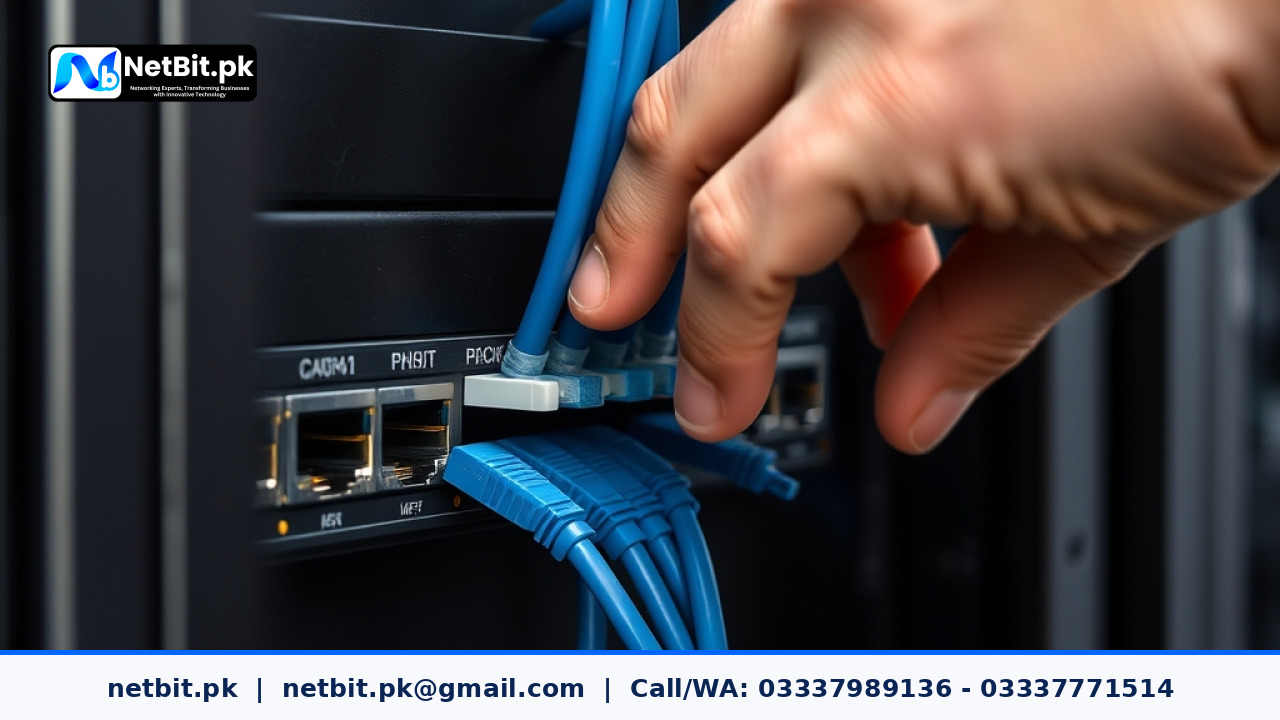
Modernizing Local Business Networks with Managed Switches
As Pakistani businesses expand their digital operations, reliance on stable local area networks (LAN) has grown significantly. Many small to medium enterprises, educational institutes, and branch offices across regions like Khuzdar and broader Balochistan initially build their networks using simple unmanaged network switches. While plug-and-play unmanaged switches work fine for basic connectivity, growing teams quickly encounter unexplained network slowdowns, security vulnerabilities, and frequent broadcast storms.
Upgrading your organization's core networking equipment from unmanaged switches to enterprise-grade managed switches represents one of the most cost-effective IT infrastructure updates you can make. This guide details why transitioning to managed network hardware is essential, how it improves operational stability, and the practical steps required to execute a smooth network upgrade.
The Core Risks of Relying on Unmanaged Network Switches
Unmanaged switches act as basic traffic distributors. They forward incoming data packets to every connected port without inspecting, prioritizing, or segmenting the traffic. As your business adds more desktop computers, Wi-Fi access points, IP CCTV cameras, and local application servers, unmanaged hardware becomes a single point of congestion.
- Lack of Traffic Isolation: On an unmanaged network, a file download on one computer competes directly with CCTV camera feeds and local software server traffic.
- Vulnerability to Network Loops: If a user accidentally plugs both ends of an Ethernet cable into wall jacks connected to the same switch, it creates a loop. Unmanaged switches cannot detect loops, causing immediate network failure across the entire office.
- Zero Bandwidth Controls: You cannot limit heavy bandwidth users or guarantee priority access for mission-critical office applications.
- No Visibility or Diagnostics: When a network port fails or experiences high packet loss, administrators have no software panel to inspect port health or measure data throughput.
Key Benefits of Upgrading to Managed Switches
Transitioning to smart managed switches gives business owners and system administrators full oversight and control over local network traffic. Modern managed switches introduce fundamental capabilities that protect business continuity:
1. Virtual Local Area Networks (VLANs)
VLAN technology allows you to divide a single physical switch into multiple isolated virtual networks. For example, you can create separate VLANs for internal office staff, guest Wi-Fi users, IP CCTV cameras, and internal servers. This prevents guest users from viewing private file shares and prevents camera video traffic from saturating staff computer connections.
2. Quality of Service (QoS) Prioritization
Managed switches allow IT staff to configure QoS rules. Traffic originating from local enterprise applications, database servers, or IP phones can be given higher priority over non-essential web browsing, ensuring smooth operation during peak working hours.
3. Spanning Tree Protocol (STP) for Loop Prevention
STP automatically detects accidental cable loops in the building network layout. When a loop occurs, the switch instantly disables the offending port, preventing network collapse and keeping all other devices online.
4. Enhanced Port Security and Access Control
With managed hardware, admins can restrict switch ports to authorized physical devices using MAC address binding. Unused ports can be software-disabled so unauthorized visitors cannot plug in rogue devices.
Step-by-Step Execution Plan for Your Switch Upgrade
Upgrading network infrastructure requires careful planning to minimize office downtime during the transition. Following a structured upgrade workflow ensures zero data loss and uninterrupted daily workflows.
Step 1: Audit Existing Devices and Cable Runs
Inventory every connected device in your building, including desktop systems, wireless access points, network printers, storage units, and CCTV recorders. Label all Cat6 Ethernet cables originating from patch panels inside your rack cabinet.
Step 2: Define VLAN Boundaries and IP Subnets
Map out clear subnets for your business operations. Assign distinct IP address ranges for administrative workstations, server hardware, security cameras, and visitor Wi-Fi networks.
Step 3: Mount Hardware and Manage Power Backup
Install your new managed switches inside structured server rack enclosures. Connect each switch to dedicated Uninterruptible Power Supply (UPS) units to safeguard against local power fluctuations and sudden outages.
Step 4: Configure Port Profiles and VLAN Tagging
Before plugging in live equipment, access the switch management interface to assign specific ports to their respective VLANs. Configure trunk ports for connections between switches and router interfaces.
Step 5: Test Loop Detection and Port Performance
Conduct systematic tests by plugging in test workstations across different ports. Verify that inter-VLAN routing rules function correctly and that unauthorized devices cannot cross into restricted server networks.
Frequently Asked Questions
What is the main difference between managed and smart-managed switches?
Fully managed switches offer extensive command-line customization, advanced Layer 3 routing capabilities, and deep telemetry for enterprise environments. Smart-managed switches provide essential Layer 2 features like VLANs, QoS, and loop prevention through a simplified web interface, making them ideal for small to mid-sized Pakistani businesses.
Will upgrading switches increase my external internet speed?
A switch upgrade does not alter your internet provider's subscribed package speed. However, by eliminating internal local network bottlenecks, broadcast chatter, and bandwidth hoarding, devices communicate far faster locally, which improves overall web browsing responsiveness.
How many ports should a business network switch have?
It is best practice to select switch capacity that exceeds your current requirement by 20% to 30%. For instance, an office with 16 wired endpoints should opt for a 24-port switch to accommodate future desktop additions, access points, or security cameras easily.
Partner with NetBit Tech for Enterprise IT Infrastructure
Building a stable, secure, and future-proof local network requires localized expertise and technical precision. At NetBit Software House & Technology, we provide complete IT infrastructure services tailored to businesses, institutions, and growing offices in Khuzdar and across Pakistan. From structured Cat6 and fiber optic cabling to server rack deployment, managed switch configuration, wireless point-to-point bridging, and CCTV systems, NetBit delivers turnkey networking solutions designed for continuous uptime.
Whether you are replacing outdated network hardware or designing a brand-new office network layout, our senior engineering team is ready to assist. Contact NetBit Tech today to schedule a professional IT audit and upgrade your business infrastructure with complete confidence.


Reader comments.
Share your question, suggestion or experience related to this article.
No comments yet
There are no approved comments on this article yet. You can be the first person to leave one.