
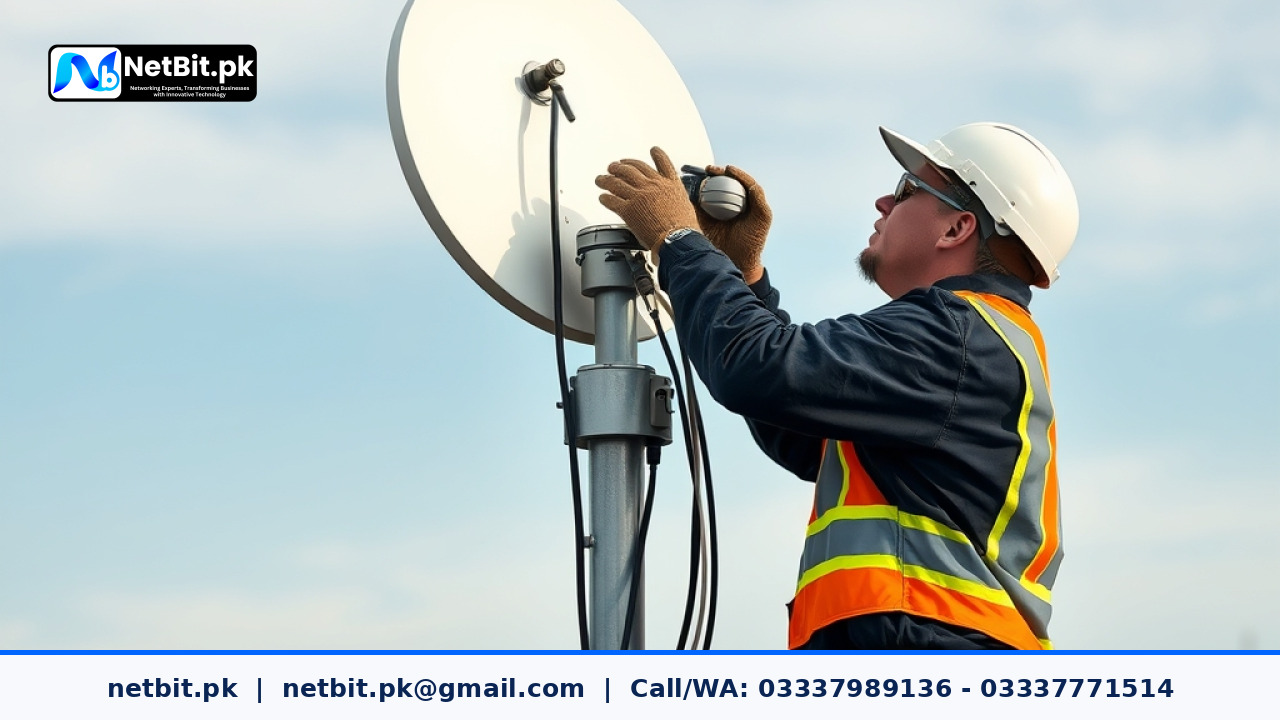
Introduction to Wireless Point-to-Point Infrastructure in Pakistan
As commercial operations across Pakistan expand beyond single-building premises into multi-facility enterprises, connecting separate offices, warehouses, and campuses becomes a primary operational challenge. Modern organizations require continuous access to shared enterprise resource planning software, local file servers, IP camera feeds, and centralized voice-over-IP networks. Laying physical optical fiber between buildings separated by several kilometers is often blocked by municipal permissions, high trenching costs, or physical terrain obstacles.
To overcome these barriers, enterprise network engineers rely on long-distance wireless point-to-point (PTP) and point-to-multipoint (PTMP) infrastructure. By deploying high-gain outdoor dish stations—such as LiteBeam and PowerBeam radios—businesses in Pakistan can establish gigabit-capable wireless trunks over distances ranging from 500 meters to more than 15 kilometers. This article outlines the architecture, setup requirements, and operational considerations involved in constructing resilient wireless bridges for local commercial networks.
Why Pakistani Businesses Are Adopting Outdoor Wireless Links
Commercial enterprises, educational institutes, and manufacturing facilities across regions like Balochistan, Sindh, and Punjab face unique logistical challenges regarding ground cables. Building an independent wireless bridge offers immediate operational advantages over traditional leased lines or third-party underground connections.
Eliminating Recurring Monthly Leased-Line Expenses
Leasing dedicated fiber connectivity from telecom operators between two distinct operational locations incurs significant ongoing operational expenses. A privately owned wireless bridge requires a single hardware investment and minimal maintenance, allowing firms to recover setup costs within months while maintaining total control over bandwidth allocation.
Overcoming Fiber Cable Damage and Street Digging
Physical fiber optic cables laid across roads or rental properties are vulnerable to continuous road construction, municipal utility work, and accidental cable cuts. A properly aligned aerial point-to-point wireless link operates high above ground-level disruptions, delivering stable network uptime without risk of physical severance from street-level maintenance crew accidents.
Key Hardware Considerations for Point-to-Point Wireless Links
Establishing an enterprise-grade wireless bridge requires careful selection of equipment tailored to distance, weather exposure, and network throughput demands.
LiteBeam vs. PowerBeam: Selecting the Right Antenna Dish
Choosing the correct equipment depends on the clear distance between sites and the local RF noise profile:
- LiteBeam Systems: Ideal for short-to-medium distance deployments (up to 5 km) with low-to-moderate wireless noise. Featuring a lightweight reflector grid design, these units offer high wind resistance and low tower load, making them excellent choices for cost-effective branch connectivity.
- PowerBeam Systems: Designed for medium-to-long distance links (up to 15+ km) or environments plagued by high radio frequency interference. With tight dish reflectors and integrated isolators, PowerBeam units deliver superior signal isolation, higher gain, and stable packet transmission across demanding links.
Line of Sight (LOS) and Fresnel Zone Management
Unlike standard indoor Wi-Fi access points, long-distance wireless bridges require a completely clear visual Line of Sight (LOS). Furthermore, engineers must account for the Fresnel Zone—an elliptical area surrounding the visual beam path. Trees, tall buildings, water towers, and metallic roofs intruding into this elliptical zone will attenuate signal strength, cause packet loss, and lower link stability. Network teams must calculate tower heights to keep the Fresnel zone clear of obstacles.
Shielded Cat6 Cabling and Electrical Protection
Outdoor wireless units mounted on rooftop masts are directly exposed to harsh environmental factors, including intense ultraviolet radiation, heavy monsoon rains, dust accumulation, and static buildup. Connecting outdoor radios to indoor core switches using cheap unshielded Ethernet cables leads to premature jacket degradation and static damage to switch ports.
Proper installations mandate the use of outdoor-rated, UV-resistant shielded Cat6 (STP) cables fitted with grounded metal RJ45 connectors. Furthermore, inline Gigabit Surge Protectors must be installed where the cable enters the building, safeguarding internal network racks from lightning strikes and electrostatic discharge.
Step-by-Step Implementation Framework for Office Network Bridges
Deploying a stable point-to-point network connection requires systematic execution across four core engineering phases.
Phase 1: Site Survey and Spectrum Analysis
Before mounting hardware, network administrators perform a physical and radio frequency (RF) site survey. Using software tools and built-in radio spectrum analyzers (such as airView), technicians evaluate background noise across 2.4 GHz and 5 GHz frequency bands. Selecting a clean, non-overlapping channel prevents co-channel interference from neighboring wireless routers and commercial radio towers.
Phase 2: Secure Physical Mounting and Precision Alignment
Mounting poles or lattice towers must be rigidly anchored to concrete roof slabs or wall structures to prevent sway during high winds. Once mounted, technicians perform coarse alignment using compass bearings, followed by fine precision alignment using live signal indicators. The objective is to achieve symmetric Signal-to-Noise Ratios (SNR) and balanced vertical/horizontal chain signal levels (ideally between -50 dBm and -65 dBm).
Phase 3: Network Integration and Switch Trunking
Once the wireless link is locked, the radio units are connected to managed Ethernet switches on both ends. Key configuration steps include:
- Setting the wireless link mode to transparent Layer-2 bridge to allow all network protocols and VLAN tags to pass seamlessly.
- Configuring static management IP addresses outside the standard DHCP scope for easy monitoring.
- Enabling WPA2-AES or WPA3 security protocols alongside custom network passwords to prevent unauthorized wireless interception.
- Configuring VLAN trunking on switch ports to isolate corporate data, voice systems, and CCTV camera traffic across the bridge.
Frequently Asked Questions (FAQs)
How does heavy rain affect long-distance wireless point-to-point links?
While extreme rainfall can cause minor signal attenuation (known as rain fade) on high-frequency links, properly aligned 5 GHz wireless bridges using dishes like PowerBeam maintain connection stability even during heavy rain. Designing links with adequate signal fade margins prevents outages.
Can point-to-point wireless links carry local CCTV security camera feeds?
Yes. High-throughput wireless bridges comfortably support dozens of high-definition CCTV video streams. By applying Quality of Service (QoS) rules on managed network switches, network teams can prioritize video traffic to avoid frame dropping.
Is a direct line of sight strictly mandatory for point-to-point links?
For long distances, direct line of sight is mandatory. Non-line-of-sight (NLOS) connections suffer severe signal degradation, high latency, and frequent packet drops, making them unsuitable for corporate database or system connectivity.
Partner with NetBit Tech for Enterprise Infrastructure Solutions
Building a secure, high-performance IT infrastructure demands specialized technical knowledge, precise hardware alignment, and robust network management. At NetBit Software House & Technology, based in Khuzdar, Pakistan, our engineering team brings deep local expertise in designing, deploying, and maintaining enterprise network systems.
Whether your business requires structured Cat6 network cabling, fiber patch panel installation, custom software development, mobile application builds, or long-distance outdoor wireless bridging using LiteBeam and PowerBeam systems, NetBit Tech delivers reliable, turnkey technology solutions. We also supply and deploy commercial CCTV surveillance systems to protect your business physical assets.
Upgrade your organization's digital backbone today. Contact the technical team at NetBit Khuzdar to schedule a full site survey, discuss custom software requirements, or receive a tailored networking proposal for your enterprise.



Reader comments.
Share your question, suggestion or experience related to this article.
No comments yet
There are no approved comments on this article yet. You can be the first person to leave one.