
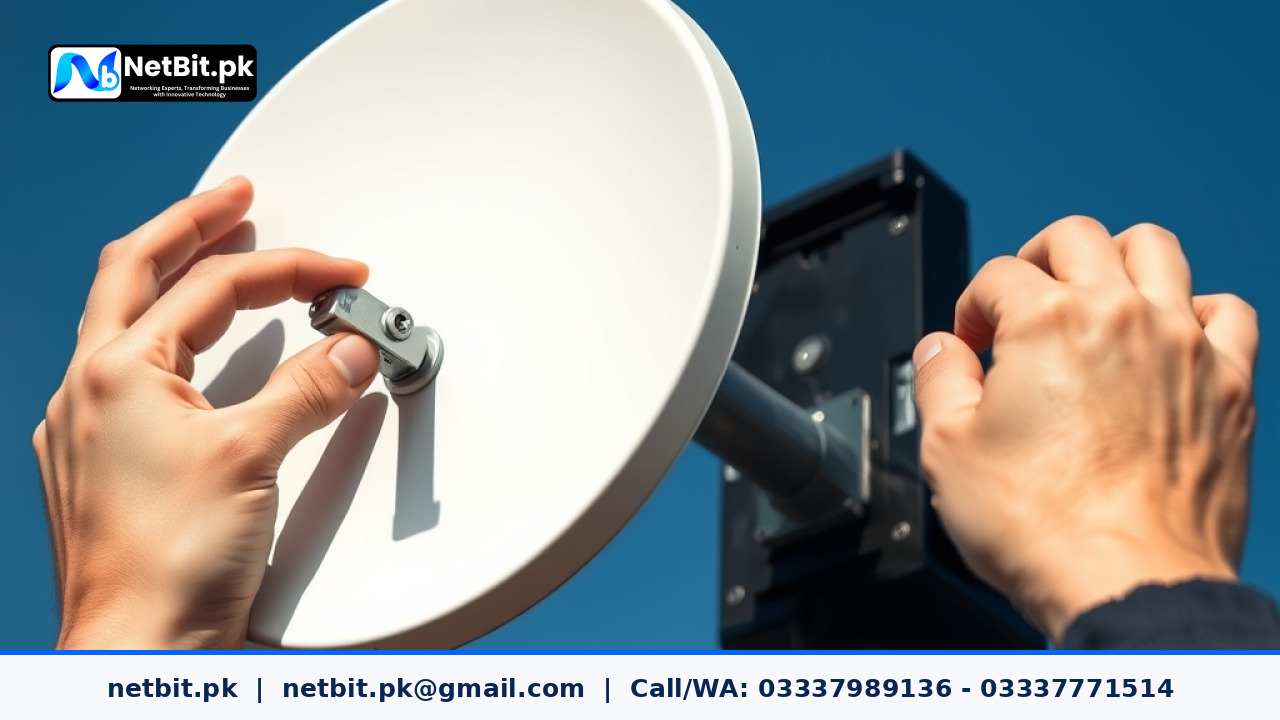
Understanding Wireless Bridges for Pakistani Businesses
In many parts of Pakistan, especially in regions like Khuzdar or rural Balochistan, laying physical fiber optic cables between two buildings can be expensive or geographically impossible. This is where wireless bridges come into play. A wireless bridge, often using devices like LiteBeam or PowerBeam, allows you to share an internet connection or local network across several kilometers without a single wire. However, the performance of this link depends entirely on one factor: signal alignment.
At netbit, we frequently assist businesses in setting up these point-to-point (PtP) links. If the alignment is off by even a few millimeters, your connection might drop during a rainstorm or suffer from high latency. This tutorial provides a step-by-step approach to achieving a professional-grade signal lock.
Preparation and Tools Needed
Before climbing onto a roof, you need the right tools. Success in wireless networking requires more than just luck; it requires precision. For a standard installation, netbit tech recommends the following:
- Two configured wireless bridge devices (e.g., Ubiquiti LiteBeam M5 or PowerBeam).
- Sturdy mounting poles or brackets.
- High-quality Cat6 cabling with shielded RJ45 connectors.
- A smartphone or laptop to access the device's management interface.
- Basic hand tools (wrenches and screwdrivers).
- A compass or GPS app for initial direction finding.
Safety First
Ensure all poles are properly grounded. In Pakistan, sudden thunderstorms can lead to static buildup. Proper grounding protects your networking equipment from being fried by atmospheric electricity.
The Step-by-Step Alignment Process
Proper alignment is divided into two phases: the physical 'rough' alignment and the software-assisted 'fine' alignment.
Step 1: Establishing Line of Sight (LOS)
Wireless bridges require a clear line of sight. This means no trees, buildings, or water tanks should be between the two antennas. Even a single leafy tree can significantly degrade a 5GHz signal. At netbit software house, we always recommend checking the 'Fresnel Zone'—an elliptical area around the line of sight that must also remain clear of obstructions.
Step 2: Rough Physical Alignment
Mount your devices on both ends. Point them toward each other using a compass or by visually identifying the distant building. Tighten the bolts just enough so the device stays in place but can still be moved with some firm pressure. This is known as the 'Azimuth' (left/right) and 'Elevation' (up/down) adjustment phase.
Step 3: Accessing the Alignment Tool
Once the devices are powered on and connected to your laptop or mobile device via the LAN port or management Wi-Fi, log in to the web interface (usually 192.168.1.20 by default). Look for the Antenna Alignment Tool. This tool provides a visual bar and a numerical value measured in dBm (decibel-milliwatts).
Step 4: Fine-Tuning the Signal
This step requires two people—one at each end—communicating via phone or walkie-talkie. Follow these rules:
- Small Movements: Move the dish only 1 or 2 millimeters at a time.
- Wait for Refresh: The software interface often has a 1-2 second delay. Wait for the signal bar to update before moving again.
- Target Values: Aim for a signal strength between -45 dBm and -55 dBm. If the signal is 'too loud' (e.g., -30 dBm), it can actually cause errors. If it is too weak (e.g., -75 dBm), the link will be unstable.
- Balance the Chains: Modern devices use two polarities (vertical and horizontal). Ensure both 'chains' are within 2-3 dBm of each other. If one is -50 and the other is -60, your alignment is skewed.
Optimizing for Local Conditions
In Pakistan, environmental factors play a huge role in network stability. High temperatures in summer can cause thermal expansion in mounting hardware, leading to 'alignment drift.' To prevent this, netbit khuzdar recommends using heavy-duty galvanized steel mounts rather than thin aluminum ones. Additionally, ensure that your Cat6 cables are UV-rated to prevent the Pakistani sun from cracking the outer jacket within a few months.
Frequently Asked Questions
What is the maximum distance for a LiteBeam link?
While advertised for 30km+, in practical Pakistani urban environments, a LiteBeam is most reliable within 5 to 10 kilometers with clear line of sight. For longer distances, a PowerBeam or Rocket dish is preferred.
Does rain affect the wireless bridge?
Heavy monsoon rain can cause 'rain fade.' However, if your alignment is optimized to a strong -50 dBm signal, you will have enough 'fade margin' to keep the link active even during a downpour.
Can I use a wireless bridge to connect two shops across the street?
Yes, but you should lower the 'Output Power' in the settings. Using maximum power at such a short distance can overwhelm the receivers, similar to someone shouting directly into your ear.
Professional Networking and Infrastructure by NetBit Tech
Setting up a stable wireless backbone is critical for modern business operations. Whether you are connecting a remote warehouse to your main office or setting up a campus-wide network for a school, precision is the difference between a frustrating connection and a seamless experience. At NetBit Software House & Technology, we specialize in high-performance networking solutions that stand the test of time.
Our team in Khuzdar provides end-to-end IT services, including custom software development, professional CCTV surveillance, and structured networking using fiber optics and high-gain wireless links. We don't just 'install' equipment; we engineer solutions that are optimized for the local climate and infrastructure challenges of Pakistan. If your business needs a reliable network that doesn't drop when you need it most, it is time to consult with the experts. Contact NetBit Tech today to discuss your next project and let us build a digital foundation you can trust.



Reader comments.
Share your question, suggestion or experience related to this article.
No comments yet
There are no approved comments on this article yet. You can be the first person to leave one.