
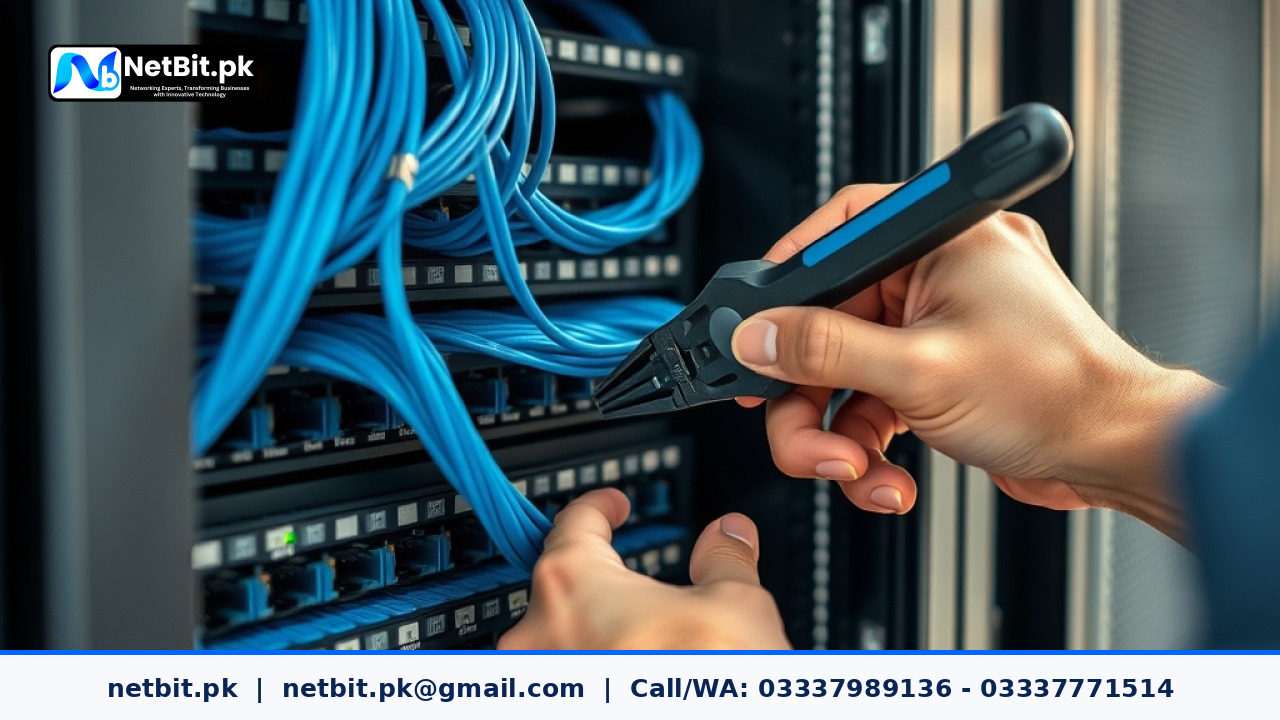
Understanding the Role of Patch Panels in Modern Office Networks
For many small business owners in Pakistan, the back of a server rack often looks like a tangled mess of green and blue cables. This 'spaghetti' wiring is not just an eyesore; it is a significant risk to business continuity. At netbit, we believe that a well-organized network starts with a professional patch panel setup. A patch panel acts as a central hub where all your office wall outlets meet. Instead of running long cables directly from a computer to a switch, cables are terminated at the back of the patch panel, and short 'patch cords' connect the front of the panel to your network switch.
Using a patch panel provides several advantages. It protects your expensive network switches from wear and tear because you are no longer constantly plugging and unplugging cables directly into the switch ports. It also makes troubleshooting much easier. If a user in a specific room loses internet access, you can quickly identify their specific port on the panel without tracing a cable through the ceiling.
Essential Tools for Network Termination in Pakistan
Before starting a networking project in your office or home, you need the right set of tools. In the Pakistani market, these tools are widely available in electronics hubs like Regal Chowk in Karachi or Hall Road in Lahore, but choosing quality over price is vital for long-term reliability. To manage patch panel terminations effectively, you will need:
- Punch Down Tool: Specifically an impact tool with a 110-style blade. This is used to push the copper wires into the IDC (Insulation Displacement Connector) terminals.
- Cable Stripper: A tool to safely remove the outer jacket of Cat6 or Cat6a cables without nicking the internal copper strands.
- Cat6 Cable: Ensure you are using high-quality copper cable rather than CCA (Copper Clad Aluminum), which is common but less reliable for long distances.
- Patch Panel: A 24-port or 48-port panel depending on your office size.
- Cable Tester: A basic continuity tester to ensure every pin is mapped correctly from the wall jack to the rack.
Choosing the Right Standard: T568A vs. T568B
One of the most common points of confusion for IT students and technicians in Pakistan is choosing between the T568A and T568B wiring standards. These standards define the order in which the colored wires (Orange, Green, Blue, Brown) are arranged inside the connector. While both work perfectly well, T568B is the most widely used standard in Pakistan and North America. The most important rule is consistency. If your wall jacks are wired using T568B, your patch panel must also follow T568B. Mixing these standards will result in a 'crossed' cable, which will prevent your devices from communicating properly.
Step-by-Step Guide to Professional Termination
Terminating a patch panel requires patience and attention to detail. Follow these steps to ensure a professional finish for your netbit tech inspired infrastructure:
1. Prepare the Cable
Strip about 1.5 to 2 inches of the outer jacket from the Cat6 cable. Be careful not to cut the internal wires. If your cable has a plastic spine (spline) in the middle, snip it off at the base with a pair of side cutters.
2. Organize the Pairs
Untwist the wire pairs only as much as necessary to reach the termination slots. Keeping the twists as close to the termination point as possible is critical for reducing 'crosstalk'—interference that can slow down your network speeds.
3. Seat the Wires
Lay the wires into the color-coded slots on the back of the patch panel according to the T568B diagram printed on the panel. Use your fingers to press them slightly into place so they stay put before you use the punch tool.
4. The Punch Down
Hold the punch down tool perpendicular to the panel. Ensure the 'cut' side of the blade is facing the outside of the connector. Press down firmly until the tool makes a loud 'click' sound. This action simultaneously seats the wire and trims the excess copper.
5. Testing and Labeling
Once all cables are terminated, use your cable tester to verify every port. Finally, label both ends of the cable. A professional setup is useless if you do not know which port leads to the 'Manager's Office' or the 'Accounts Department'.
Common Mistakes to Avoid in Office Cabling
In our experience at netbit software house, we often see DIY projects fail due to a few common errors. First is over-stripping the cable; exposing too much untwisted wire leads to signal degradation. Second is using the wrong blade on the punch tool, which can damage the patch panel's plastic housing. Lastly, many offices forget to use cable management D-rings. Without these, the weight of the cables can pull on the terminations, causing intermittent connection drops over time.
Maintenance Tips for Your Network Rack
Network maintenance is not just about software; it is about physical upkeep. Dust is a major enemy of IT equipment in Pakistan. Regularly check your network rack for dust buildup and ensure that the LiteBeam or PowerBeam units connected to your network are properly grounded. Every six months, inspect the patch cords for signs of fraying or tight bends that could cause internal wire breaks.
FAQs About Network Infrastructure in Pakistan
Can I use Cat5e patch panels with Cat6 cables?
While physically possible, it is not recommended. Using a Cat5e panel with Cat6 cabling will bottle-neck your network to Cat5e speeds (1Gbps but with lower bandwidth). Always match your panel category to your cable category.
Why is my network slow despite having a patch panel?
A patch panel is a passive component; it doesn't boost speed. If your network is slow, it could be due to poor termination (too much untwisted wire), low-quality patch cords, or interference from nearby electrical power lines. Ensure network cables are kept at least 6 inches away from high-voltage electrical wires.
Do I need a patch panel for a small 5-user office?
Even for a small office, a patch panel is highly recommended. It provides a professional termination point and makes future expansion much simpler as your business grows in Khuzdar or any other city.
Consult NetBit Tech for Professional IT Infrastructure
Building a reliable network requires more than just buying cables; it requires a strategic approach to infrastructure. Whether you are setting up a new corporate office or upgrading your current facility, netbit khuzdar offers the technical expertise to ensure your systems are robust, organized, and scalable. From structured Cat6 cabling and fiber patch cord management to the installation of high-performance switches and CCTV surveillance systems, we provide end-to-end IT solutions tailored to the Pakistani business environment.
Don't let poor cabling hold back your business operations. Contact netbit today to discuss your networking, software development, or system maintenance needs. Our team is dedicated to delivering professional-grade technology services that empower local businesses to compete in the digital age.


Reader comments.
Share your question, suggestion or experience related to this article.
No comments yet
There are no approved comments on this article yet. You can be the first person to leave one.