
The Challenge of Connecting Multiple Business Locations
As businesses in Pakistan grow, they often expand into neighboring buildings or across the street. Whether you are running a school in Khuzdar with two separate blocks or a warehouse that needs to connect to a main office, sharing a single internet connection and local network is a major challenge. Digging up roads to lay fiber optic cables is often expensive, legally complicated, or physically impossible. This is where Point-to-Point (PtP) wireless networking becomes the most practical solution.
At netbit, we frequently help clients overcome these connectivity hurdles using high-quality wireless bridging equipment. By using directional radio waves, we can create a high-speed data link between two points that acts exactly like a long invisible cable. This allows for seamless sharing of software, files, and CCTV feeds across different locations without recurring monthly costs for multiple internet lines.
Understanding Point-to-Point (PtP) Wireless Bridging
Point-to-Point networking involves two dedicated devices: one configured as an 'Access Point' and the other as a 'Station.' These devices are mounted on the exterior of the buildings and pointed directly at each other. Unlike the Wi-Fi in your home which spreads signal in all directions, these devices focus the energy into a narrow beam, allowing data to travel several kilometers with high stability.
Essential Hardware for a Reliable Bridge
To set up a professional wireless bridge, you need specific networking hardware. At netbit tech, we recommend and utilize the following components for our projects:
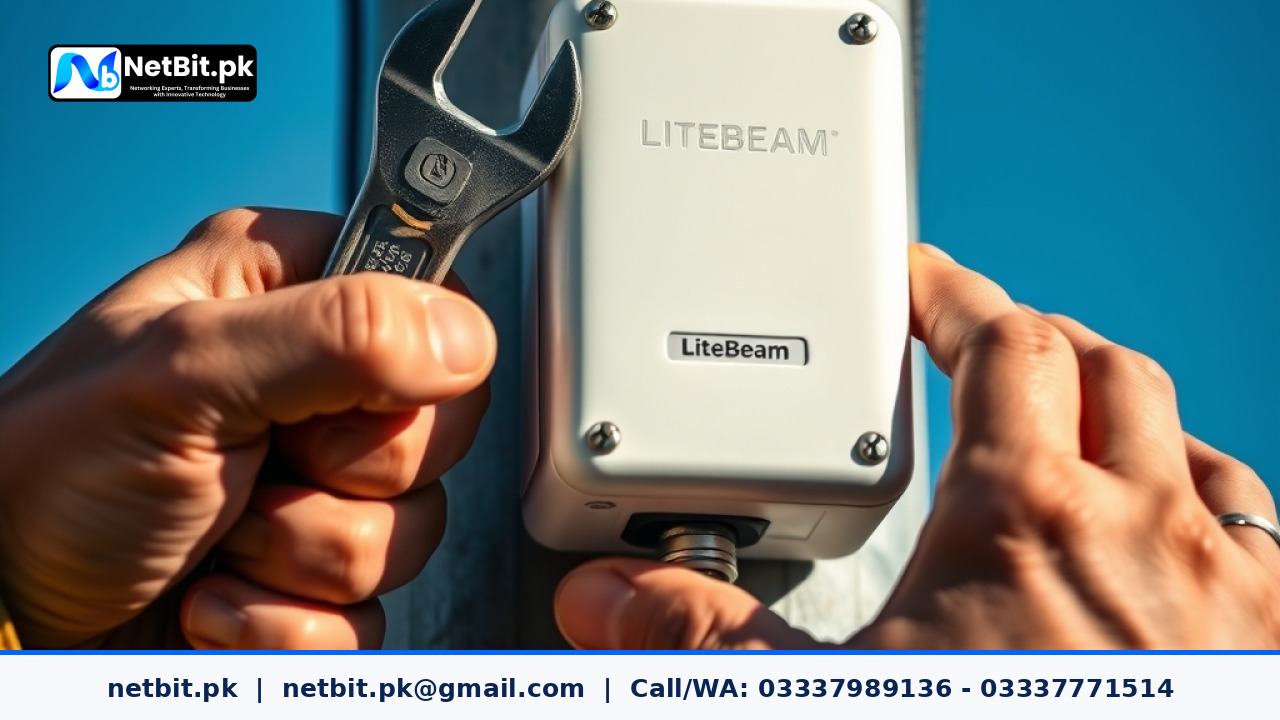
- Wireless Radios: Devices like the LiteBeam or PowerBeam are industry standards. They are weather-resistant and designed for long-range communication.
- Network Switches: You will need switches at both ends to distribute the signal to computers, printers, and CCTV cameras.
- Cat6 Cabling: High-quality Cat6 copper cables are necessary to connect the outdoor radio to the indoor network.
- PoE Injectors: Most outdoor radios use Power over Ethernet (PoE), meaning the power and data travel over the same Cat6 cable.
- Mounting Poles: Stable, grounded poles are required to ensure the devices do not move during high winds or storms.
Planning Your Wireless Link in Pakistan
Before purchasing equipment, you must conduct a site survey. The most critical factor for a wireless bridge is 'Line of Sight' (LoS). This means there must be no trees, buildings, or hills between the two antennas. Even a single large tree can significantly degrade the signal, especially during the rainy season when wet leaves absorb radio waves.
Calculating the Fresnel Zone
In professional networking, we don't just look at a straight line. We consider the Fresnel Zone, which is an elliptical area around the line of sight. If objects intrude into this zone, the signal can reflect and cause interference. For a stable connection in busy areas like Khuzdar or Karachi, mounting the devices high enough on rooftops is essential to keep the Fresnel Zone clear of traffic and smaller structures.
Choosing Between LiteBeam and PowerBeam
For most small to medium businesses, a LiteBeam setup is highly effective for distances up to 5-10 kilometers. It is lightweight and easy to align. However, if you are in an area with high noise interference or require much higher data throughput for heavy software applications, a PowerBeam is a better choice. The dish-like design of the PowerBeam provides better shielding from surrounding signals, ensuring a cleaner connection for netbit software house applications and database synchronization.
Step-by-Step Installation Process
- Mounting the Brackets: Securely attach the mounting brackets to the highest possible point on both buildings. Ensure the poles are perfectly vertical.
- Cabling and Weatherproofing: Run the Cat6 cable from the radio location to your indoor switch. Use outdoor-rated cable and ensure all connectors are protected from moisture using weatherproofing tape or boots.
- Initial Alignment: Roughly point the two devices toward each other using visual landmarks.
- Configuration: Log into the device firmware. Set one to 'Access Point' and the other to 'Station.' Use a strong WPA2-AES password to secure the link.
- Fine Tuning: While monitoring the signal strength (measured in dBm), slowly adjust the horizontal and vertical tilt. Aim for a signal between -45 dBm and -55 dBm for optimal performance.
- Grounding: In Pakistan, lightning and static buildup are common. Always use shielded connectors and ensure the mounting pole is properly grounded to protect your indoor networking equipment.
Common Mistakes to Avoid
Many DIY installations fail because of simple oversight. One common error is over-tightening the mounting bolts before final alignment is finished. Another is using cheap, indoor-grade Cat5 cables for outdoor runs; these will crack under the sun within months. Lastly, never ignore the importance of a clear path. A 'near-line-of-sight' connection might work today, but it will fail the moment a new floor is built on a building in between your link.
Benefits for Local Businesses and Schools
Implementing a PtP bridge with netbit khuzdar offers several advantages:
- Cost Savings: Stop paying for two or three separate internet packages. Pay for one high-speed connection and share it.
- Centralized Data: Run your accounting or inventory software on a server in one building and access it from another with zero lag.
- Unified Surveillance: View all your CCTV cameras from both buildings on a single screen.
- Scalability: It is easy to add a third or fourth building to the network once the primary bridge is established.
Professional Networking and IT Solutions with NetBit Tech
Setting up a stable wireless bridge requires precision, the right tools, and technical expertise to ensure your data remains secure and your connection stays up 24/7. Whether you are looking to link two offices, set up a complex CCTV network, or deploy custom software across multiple sites, netbit is your trusted partner in Pakistan. We specialize in high-performance networking, including the installation of switches, fiber patch cords, and long-range wireless systems like LiteBeam and PowerBeam.
Don't let physical distance limit your business efficiency. Contact netbit software house today to discuss your infrastructure needs. Our team is ready to design and implement a robust IT environment tailored to your specific requirements, ensuring your business stays connected, secure, and ready for growth.


Reader comments.
Share your question, suggestion or experience related to this article.
No comments yet
There are no approved comments on this article yet. You can be the first person to leave one.