
Understanding Office Wi-Fi Coverage Challenges
Reliable wireless connectivity is essential for any modern Pakistani business, from bustling startup hubs in Karachi and Lahore to expanding corporate offices in Khuzdar. However, poor Wi-Fi performance often stems from improper hardware placement rather than slow internet connections. Thick concrete walls, metal filing cabinets, and structural pillars frequently block or weaken wireless signals, leaving employees frustrated with frequent disconnections.
At netbit, our networking team frequently encounters offices where a single wireless router is tucked away in a corner cabinet or placed on the floor behind heavy furniture. To achieve seamless roaming and steady speeds across all workstations, businesses must adopt structured deployment practices for their wireless access points (APs).
Selecting the Right Mounting Location
Strategic placement dictates the overall efficiency of your office wireless network. Before drilling holes or pulling cables, evaluate your floor plan to identify high-density areas and potential signal barriers.
- Central Positioning: Mount access points near the center of the target coverage zone to ensure an even 360-degree signal distribution.
- Line of Sight: Position APs high up where they have an unobstructed line of sight to client devices, minimizing physical obstructions like desks and partitions.
- Interference Avoidance: Keep access points away from large metallic structures, microwaves, heavy-duty electrical panels, and thick reinforced concrete pillars.
Step-by-Step Guide to Mounting Wireless Access Points
Proper physical installation ensures your hardware remains secure, properly ventilated, and optimized for maximum signal propagation.
1. Inspecting Power and Cabling Requirements
Most commercial-grade access points rely on Power over Ethernet (PoE) technology. This means a single Cat6 cable delivers both data connectivity and electrical power. Verify that your network switch supports PoE or deploy a dedicated PoE injector near the switch rack. Leave a small service loop in the cable above the ceiling tile to allow for future maintenance.
2. Securing the Mounting Bracket
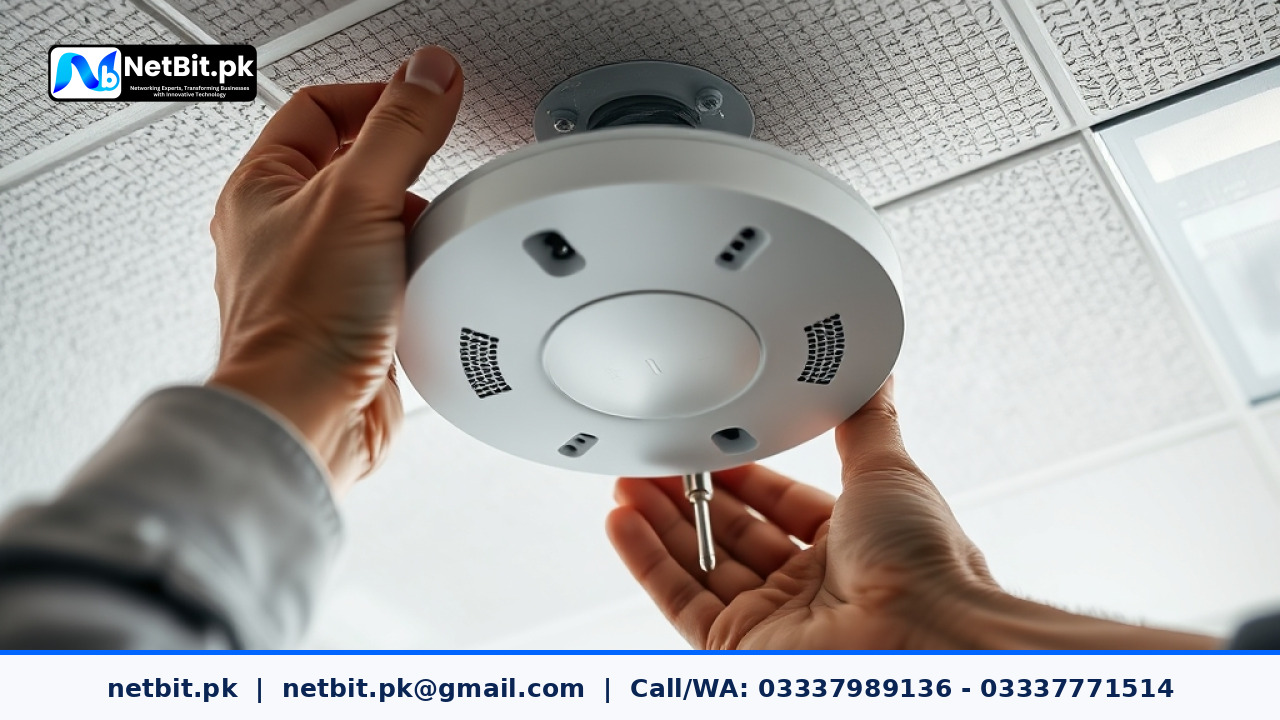
Most professional access points come with a twist-lock mounting bracket. Hold the bracket against the ceiling tile or drywall, mark the screw positions with a pencil, and use appropriate wall anchors if you are mounting directly onto concrete or brick surfaces common in local commercial buildings. Fasten the screws firmly so the bracket does not wobble.
3. Connecting and Locking the Access Point
Terminate your Cat6 cable with an RJ45 connector, plug it securely into the LAN/PoE port of the access point, and align the device with the mounting bracket. Twist it clockwise until it clicks firmly into place. Ensure the LED indicator lights face a visible direction for easy troubleshooting later.
Frequently Asked Questions About Office Wi-Fi Deployment
Should I mount access points on the ceiling or the wall?
Ceiling mounting is generally recommended for open-plan offices because most enterprise access points are engineered to radiate signals downward and outward in a circular pattern. Wall mounting is typically reserved for hallways, long corridors, or spaces where drop ceilings are unavailable.
How many access points does my office need?
The required number depends on square footage, wall materials, and the total number of concurrent users. As a general rule, a single enterprise-grade access point comfortably covers approximately 1,500 to 2,500 square feet of open office space, though heavy physical partitions require denser placement.
Partner with NetBit for Robust Office Networking Solutions
Building a stable, high-speed office network requires more than just plugging in commercial hardware. It demands precise planning, structured cabling, and professional configuration. Whether you are setting up a brand-new office in Khuzdar or upgrading an existing network infrastructure across Pakistan, netbit tech delivers reliable, end-to-end IT solutions tailored to your operational needs.
From professional Cat6 cabling and switch configurations to LiteBeam long-range setups and custom software development, our experienced team ensures your technology infrastructure operates without interruption. Contact netbit software house today to discuss your business requirements and secure a dependable network foundation for long-term growth.

Reader comments.
Share your question, suggestion or experience related to this article.
No comments yet
There are no approved comments on this article yet. You can be the first person to leave one.