

Why Reactive IT Support Costs Pakistani Businesses More
In most commercial offices across Pakistan, IT support remains purely reactive. A computer slows to an unbearable crawl, an office network switch overheats during a busy working afternoon, or a vital database locks up because storage filled to capacity unnoticed. When business owners wait for hardware to fail before calling a technician, the hidden costs accumulate rapidly: lost staff productivity, missed client deadlines, corrupted files, and costly emergency hardware replacements.
Establishing a structured preventive IT maintenance schedule shifts your workplace from emergency firefighting to smooth, uninterrupted operations. Regular maintenance extends hardware lifespan, protects critical company data, and ensures your team works without technical interruptions.
The Core Pillars of Workplace IT Maintenance
A dependable maintenance and support strategy covers physical hardware, network infrastructure, operating systems, and installed business applications. Dividing your routine into manageable cadences prevents staff burnout while guaranteeing that every device receives necessary attention.
1. Workstation and Operating System Upkeep
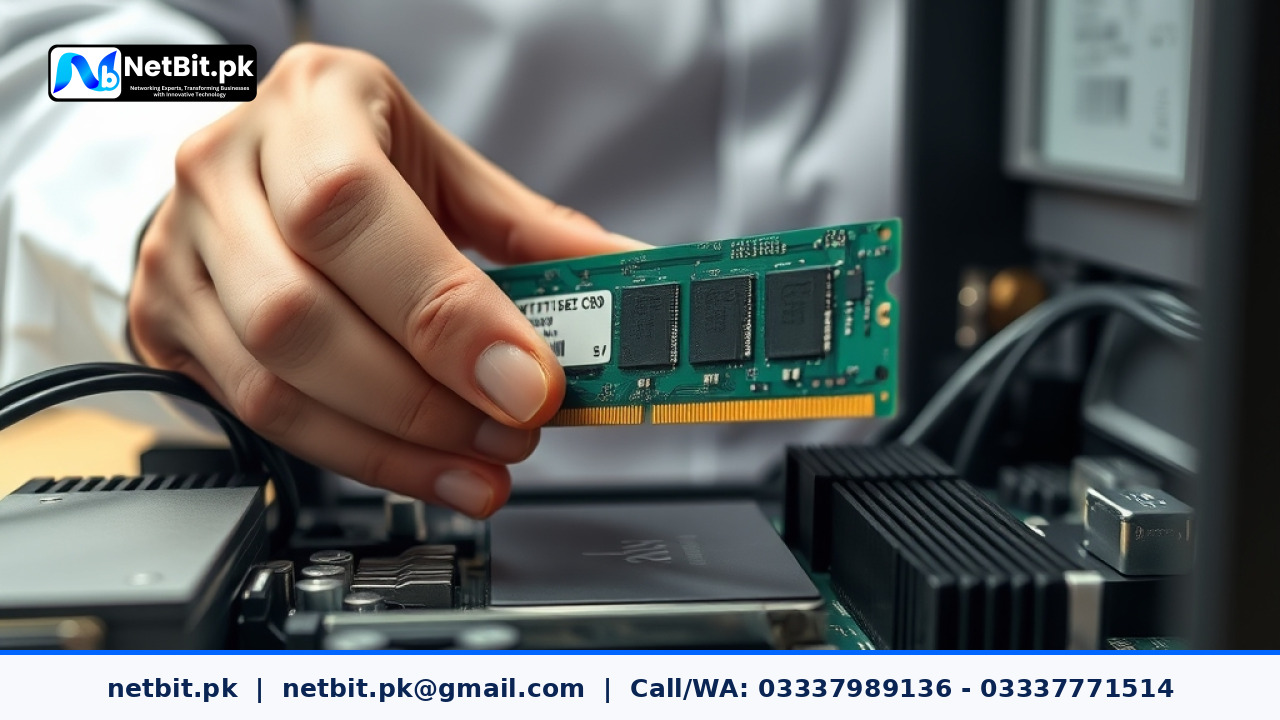
Office desktop computers and staff laptops face daily wear and tear. Operating systems accumulate temporary cached files, fragmented registries, unnecessary startup applications, and outdated system drivers. In addition, ambient dust in regional environments quickly blankets internal cooling fans and heatsinks, causing processors to throttle under heavy daily tasks.
- Operating System Updates: Install verified security patches on Windows and Linux workstations bi-weekly to resolve vulnerability loopholes without disrupting active working hours.
- Storage and Disk Health: Monitor solid-state drive (SSD) wear levels and hard drive health status using standard diagnostic tools. Ensure system drives retain at least 20 percent free capacity for virtual memory paging.
- Thermal and Dust Management: Physically inspect air intake vents, case fans, and processor heatsinks once every quarter. Clearing internal dust with compressed air prevents heat-induced component failure during high-temperature months.
- Startup Audit: Review background services and startup trays monthly to remove unneeded utility software that burdens system memory (RAM).
2. Network Hardware and Cabling Maintenance
An office network cannot run reliably without clean physical connections and properly ventilated active equipment. Network racks often become disorganized tangles over time, leading to crimped Cat6 patch cords, strained RJ45 jacks, and poor airflow around high-density managed switches.
- Physical Switch Inspection: Examine network switches and patch panels monthly. Confirm that activity LEDs blink normally, cooling fans run quietly, and patch cords show no mechanical stress or cracked locking tabs.
- Wireless Bridge Verification: If your office utilizes outdoor wireless links such as LiteBeam or PowerBeam antennas to connect separate buildings, verify antenna alignment, weatherproof cable glands, and line-of-sight clearance every quarter.
- Firmware and Port Audits: Keep network switch firmware updated against known protocol bugs, and disable unused switch ports to prevent unauthorized physical connections.
- Power Continuity Checks: Test uninterruptible power supply (UPS) batteries supporting network racks monthly under simulated power cuts to confirm battery backup runtime.
3. Business Software and Database Care
Hardware maintenance must be paired with application upkeep. Custom software systems, point-of-sale platforms, and local desktop applications depend on clean underlying databases to remain fast and responsive.
- Database Index Optimization: Run automated index rebuilds and clear temporary operational tables during low-traffic weekend hours.
- Log File Rotation: Set automated log rotation scripts for local application servers so disk volumes do not fill up with unmanaged access logs.
- Data Backup Drills: Performing backups is not enough; businesses must routinely test backup restoration. Perform a mock restore once a month on an isolated workstation to confirm backup integrity.
4. CCTV Surveillance and Security Systems
Commercial CCTV installations represent an essential component of office infrastructure. Left unmaintained, camera lenses get dirty, storage hard drives experience silent bad-sector degradation, and camera focus shifts over time.
- Camera Lens Cleaning: Wipe camera lenses and housing domes with microfiber cloths every two months to ensure crystal-clear video records.
- NVR and Storage Audits: Verify hard drive SMART status on network video recorders weekly to catch drive degradation before recording failures occur.
- PoE Budget Monitoring: Check switch Power over Ethernet (PoE) power draw to ensure infrared night-vision activation does not exceed switch power supply capacities.
Sample IT Maintenance Calendar for Small and Medium Offices
To implement these tasks without overwhelming your internal staff, organize maintenance duties into three recurring tiers:
- Weekly Tasks: Check database backup reports, verify NVR recording status, review server storage capacities, and inspect primary network switch status lights.
- Monthly Tasks: Install operating system and application security patches, review workstation startup items, check UPS battery runtime, and test restore a sample backup file.
- Quarterly Tasks: Physically clean internal dust from desktop PCs, inspect outdoor LiteBeam and Cat6 cabling, reorganize patch cords, and audit active user account access permissions across all business software.
Common IT Maintenance Mistakes to Avoid
Many offices assume that having an antivirus program installed is equivalent to complete IT maintenance. Relying solely on automatic software updates often leads to unexpected reboots during peak business calls. Similarly, ignoring power protection—such as running valuable desktop systems on ungrounded wall sockets without surge suppressors—can permanently damage hardware components when local electrical power fluctuates.
Documenting maintenance events is equally crucial. Maintain a shared logbook or digital ledger detailing when components were cleaned, which firmware versions were applied, and when storage drives were replaced. This historical log makes troubleshooting future issues significantly faster and more accurate.
Frequently Asked Questions
How often should office desktop PCs be physically cleaned?
In standard Pakistani office environments, desktop workstations should undergo physical cleaning every three to four months. In dusty roadside commercial areas, a brief inspection and compressed air blowout should be done every sixty days to preserve processor cooling.
Why should software backups be tested if the software reports success?
Backup software verifies that data was written to a target drive, but it cannot confirm that the archive is uncorrupted or that your application can properly ingest and mount the tables. Monthly test restorations ensure your contingency plan actually works during an emergency.
Can network switches be updated during normal business hours?
Firmware updates and configuration reboots on core office switches temporarily drop all network traffic, interrupting active transactions and file transfers. These updates must strictly be scheduled during planned maintenance windows outside normal working hours.
Streamline Your Workplace Infrastructure with NetBit Software House
Maintaining business computers, complex local networks, and critical software systems requires dedicated technical expertise and consistent oversight. NetBit Software House provides comprehensive IT maintenance and support services tailored to businesses, institutions, and growing enterprises across Pakistan.
Whether your workplace requires structured Cat6 network maintenance, outdoor wireless link optimization, desktop workstation health audits, or round-the-clock software monitoring, the team at NetBit Tech delivers reliable, professional solutions. Based in Khuzdar, NetBit helps organizations prevent costly downtime with scheduled preventive checkups, rapid incident support, and durable infrastructure setups.
Protect your workplace investments and keep your daily operations running smoothly. Visit netbit.pk today to schedule a complete IT infrastructure assessment and establish a custom maintenance agreement with NetBit Khuzdar.


Reader comments.
Share your question, suggestion or experience related to this article.
No comments yet
There are no approved comments on this article yet. You can be the first person to leave one.