
News Brief: The Shift Toward Fiber Backbones in Pakistani Commercial Offices
Across commercial sectors in Pakistan—from financial hubs in Karachi and Lahore to expanding technology centers in Balochistan—businesses are experiencing a rapid surge in local network traffic. Increased adoption of local file servers, continuous high-definition CCTV security streaming, cloud ERP systems, and internal voice-over-IP (VoIP) platforms have placed unprecedented strain on legacy network wiring. In response, modernizing local network backbones using optical fiber interconnects has shifted from an optional luxury to an operational necessity.
For many years, commercial offices relied entirely on Category 5e or Category 6 copper cabling for both endpoint workstations and central switch-to-switch links. While Cat6 remains excellent for short desk runs, using copper for long backbone connections between floors, server rooms, and separate office blocks introduces severe throughput limits and signal degradation. Upgrades to fiber optic patch cords and dedicated SFP uplinks are now enabling Pakistani enterprises to future-proof their IT infrastructure against mounting data demands.
Why Traditional Copper Backbones Are Struggling with Modern Workloads
Understanding why internal networks slow down during peak office hours requires looking closely at how copper cabling handles high volumes of concurrent network traffic over physical distances.
1. Physical Distance and Signal Attenuation
Standard Ethernet copper cables (such as Cat6) experience signal decay over distance. While a standard Cat6 run supports gigabit throughput up to 100 meters under ideal conditions, signal degradation accelerates when pushed to maximum distances or when routed alongside electrical conduits. Fiber optic patch cords, in contrast, use light signals over glass fibers, allowing high-bandwidth data transmission over kilometers without loss of signal strength.
2. Electromagnetic and High-Voltage Interference
Pakistani commercial facilities frequently deal with electrical noise generated by heavy air conditioning units, diesel generators, uninterruptible power supply (UPS) systems, and power transformers. Copper conductors act like antennas, picking up electromagnetic interference (EMI) that causes dropped network packets, retries, and latent connections. Optical fiber is completely non-metallic and immune to electromagnetic noise, delivering pristine data transfers regardless of electrical surroundings.
3. Bandwidth Bottlenecks at Core Switches
When multiple floor switches connect to a central server rack using single gigabit copper cables, a severe bottleneck forms. Dozens or hundreds of computers sharing a single 1 Gbps uplink leads to congestion during large file transfers or automated system backups. Upgrading core switch links to 10 Gbps SFP+ optical connections creates wide data highways, allowing unhindered traffic flow across departments.
Key Components of a Modern Office Fiber Backbone
Modernizing an office network infrastructure does not require throwing away existing desktop wiring. Instead, it involves introducing a high-capacity optical backbone between distribution switches and central server racks.
Single-Mode vs. Multi-Mode Optical Fiber
When selecting fiber optic patch cords and backbone cables, network administrators choose between two primary types:
- Multi-Mode Fiber (OM3/OM4): Optimized for shorter distances within a single building or rack room (up to 300–400 meters at 10 Gbps speeds). Multi-mode uses a larger core diameter and laser light sources, offering a cost-effective solution for intra-office switch links.
- Single-Mode Fiber (OS2): Designed for longer distances between separate buildings or multi-story facilities. Single-mode cables use a narrow laser core to transmit data over several kilometers with near-zero signal loss.
Optical Transceivers (SFP / SFP+ Modules)
Modern managed switches feature modular expansion slots called Small Form-Factor Pluggable (SFP) ports. By inserting compatible optical transceivers into these ports, IT managers convert electrical switch signals into optical signals. Standard SFP modules support 1 Gbps connections, while SFP+ modules handle 10 Gbps links, providing ample capacity for growing enterprise workloads.
High-Performance Managed Switches
Deploying fiber backbones requires managed gigabit switches equipped with dedicated optical uplink ports. Managed switches allow network engineers to configure Virtual Local Area Networks (VLANs), control traffic prioritization through Quality of Service (QoS), and implement link aggregation for redundant pathing.
Step-by-Step Infrastructure Upgrading Strategy
Upgrading your office IT infrastructure to an optical backbone requires careful planning to prevent unnecessary network downtime during normal business hours.
Phase 1: Physical Infrastructure Audit
Begin by mapping out every network cabinet, distribution switch, and physical cable pathway in the building. Identify distances between distribution racks and check cable containment trays for tight bends or sharp edges that could damage sensitive optical fibers. Ensure server enclosures have adequate cooling, dust protection, and clean cable management arms.
Phase 2: Backbone Cable Installation and Patching
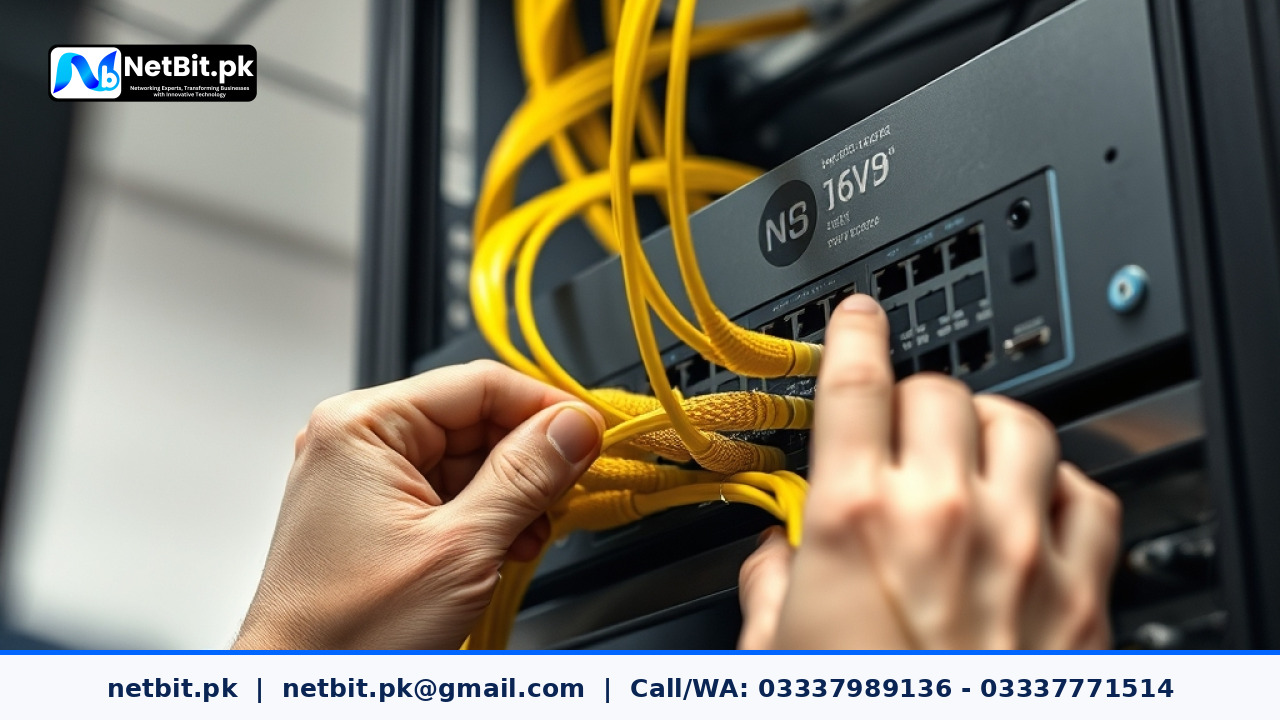
Run high-grade optical trunk cables between main server rooms and secondary network cabinets. Use dedicated fiber patch panels inside server racks to terminate incoming lines neatly. Pre-terminated fiber optic patch cords should then be used to bridge patch panels directly to switch SFP modules. Avoiding excessive physical bending preserves glass core integrity and prevents signal loss.
Phase 3: Switch Configuration and Testing
Once physical cables are secured, configure switch ports for trunking and VLAN tagging. Verify optical power levels using specialized diagnostic tools to ensure transceivers operate within safe optical margins. Execute traffic load testing to confirm zero packet loss and zero link flapping under peak network load conditions.
Frequently Asked Questions About IT Infrastructure
Do we need to replace our existing desktop Cat6 cabling when installing a fiber backbone?
No. Standard Cat6 cabling remains ideal for connecting individual workstations, IP phones, and CCTV cameras to local floor switches. The fiber upgrade is applied between core and distribution switches, solving the high-speed transfer bottleneck where multi-user traffic aggregates.
How sensitive are fiber optic patch cords to dust and physical handling?
Fiber optic connectors feature microscopic ceramic ferrules where light passes. Dust or fingerprints on connector tips can cause signal loss. Connectors should always be cleaned with specialized optical lint-free wipes before insertion into switch transceivers, and protective dust caps must remain installed on unused ports.
Can fiber optic backbones link separate buildings across a facility campus?
Yes. Optical fiber is ideal for inter-building links because it handles long distances and eliminates electrical grounding issues between separate electrical systems, protecting network switches from damage caused by ground loops or lightning surges.
Elevate Your Business Infrastructure with NetBit Tech
Building a stable, secure, and responsive business network requires technical precision and deep hands-on expertise. At NetBit Tech, based in Khuzdar, Pakistan, our engineering team specializes in end-to-end IT infrastructure deployment, network rack optimization, custom networking setups (switches, Cat6 cabling, fiber patch cords, LiteBeam, and PowerBeam links), and enterprise CCTV surveillance installations.
Whether you are building out a new corporate office, expanding multi-floor premises, or resolving chronic internal connectivity bottlenecks, NetBit Software House delivers reliable technology solutions tailored to your operational goals. Contact our technical team today at netbit.pk to schedule a complete infrastructure assessment and upgrade your network for maximum uptime and stability.

Reader comments.
Share your question, suggestion or experience related to this article.
No comments yet
There are no approved comments on this article yet. You can be the first person to leave one.