
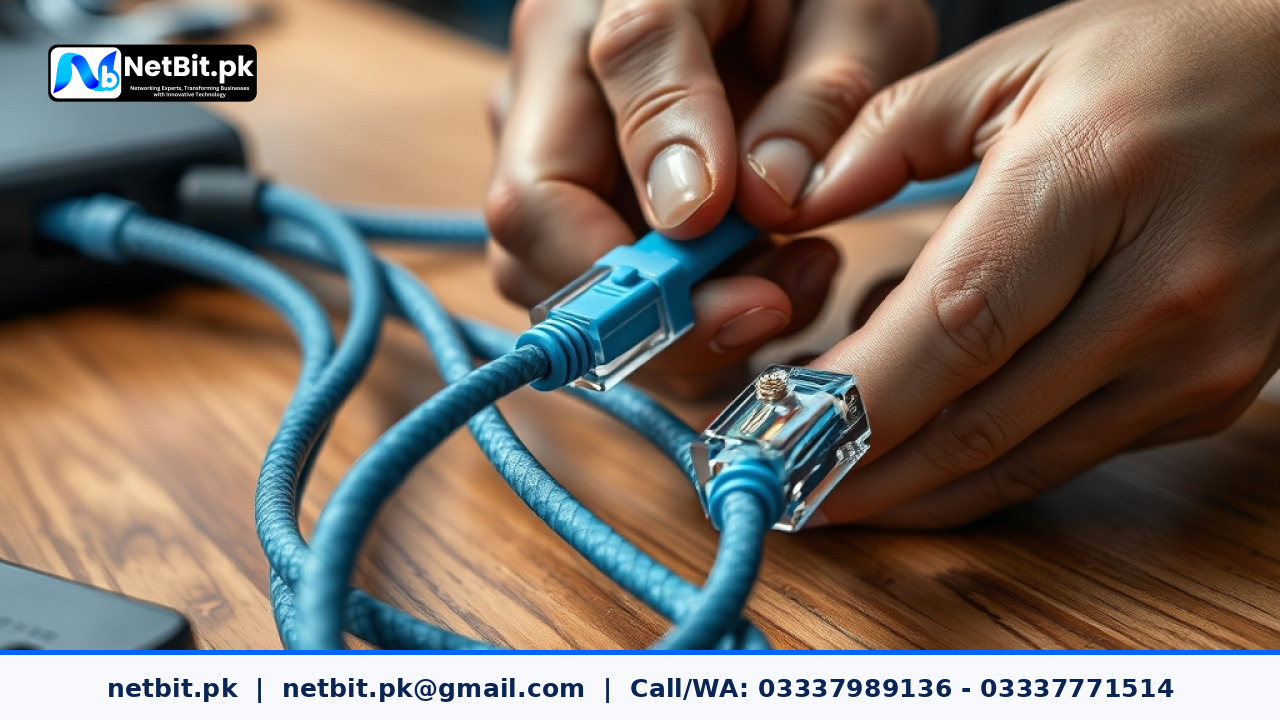
Understanding Cat6 Cable Termination Basics
For any modern office in Pakistan, a reliable local area network forms the backbone of daily operations. Whether you are running custom software, handling multi-user database systems, or streaming security footage from your CCTV installation, physical connectivity matters. Poorly terminated Cat6 cables lead to packet loss, slow data transfers, and constant network drops that disrupt business productivity.
Proper termination requires precision, patience, and adherence to established wiring standards. When setting up your office network using switches and patch panels, mastering the RJ45 crimp ensures long-term performance and reduces costly IT maintenance overhead.
Tools Required for Professional Cable Termination
Before beginning any wiring project, gathering the correct tools ensures a clean and durable connection. Makeshift tools often damage the inner copper conductors or lead to intermittent connectivity issues.
- Cat6 UTP Cable: Ensure you use pure copper or high-grade CCA cables suitable for your office environment.
- RJ45 Pass-Through Connectors: These simplify the alignment process and allow visual verification of wire orders.
- Cable Stripper: Designed to slice the outer PVC jacket without nicking the inner twisted pairs.
- Crimping Tool: A heavy-duty ratchet crimper ensures even pressure across the pins.
- Cable Tester: An essential handheld device to verify continuity and pin mapping after termination.
Step-by-Step Guide to T568B Wiring Standard
In Pakistan, the T568B wiring standard is widely adopted for commercial and residential networking. Consistency across your entire installation prevents signal reflections and cross-talk.
- Strip the Outer Jacket: Use the cable stripper to remove roughly two inches of the outer PVC jacket, exposing the four twisted pairs.
- Untwist and Align the Wires: Untwist the pairs carefully. Arrange them in the exact T568B color sequence from left to right: Orange-White, Orange, Green-White, Blue, Blue-White, Green, Brown-White, and Brown.
- Trim Evenly: Flatten the aligned wires between your fingers and use sharp shears to cut them straight across, leaving about half an inch of exposed conductor.
- Insert into the RJ45 Plug: Push the wires firmly into the RJ45 connector, ensuring each conductor reaches the very end of the channel. Double-check the color order before crimping.
- Crimp and Secure: Place the connector into the crimping tool and squeeze firmly until the ratchet mechanism releases.
- Test the Connection: Plug both ends of the finished cable into your network tester to verify that all eight LED lights illuminate in sequence.
Common Mistakes to Avoid
Even experienced installers occasionally make errors that degrade network performance. Keep these points in mind during your office setup:
- Excessive Untwisting: Keep twists as close to the connector base as possible. Untwisting more than half an inch introduces electromagnetic interference.
- Damaging Copper Conductors: Nicking the wire strands while stripping the outer jacket weakens tensile strength and limits throughput.
- Ignoring Cable Management: Avoid sharp bends, kinks, or running Ethernet cables parallel to heavy electrical power lines.
Partner with NetBit Tech for Your Network Infrastructure
Building a robust office network goes beyond simple cable termination. At NetBit Software House & Technology, based right here in Khuzdar, Pakistan, we provide comprehensive IT solutions tailored to local businesses. From structured Cat6 cabling and fiber patch cord setups to configuration of network switches, LiteBeam, PowerBeam, and complete CCTV surveillance systems, our team ensures your infrastructure runs without interruption. We also specialize in custom software development, mobile applications, web systems, and ongoing IT maintenance. Contact netbit tech today to discuss how we can upgrade your business connectivity and technical operations.

Reader comments.
Share your question, suggestion or experience related to this article.
No comments yet
There are no approved comments on this article yet. You can be the first person to leave one.