
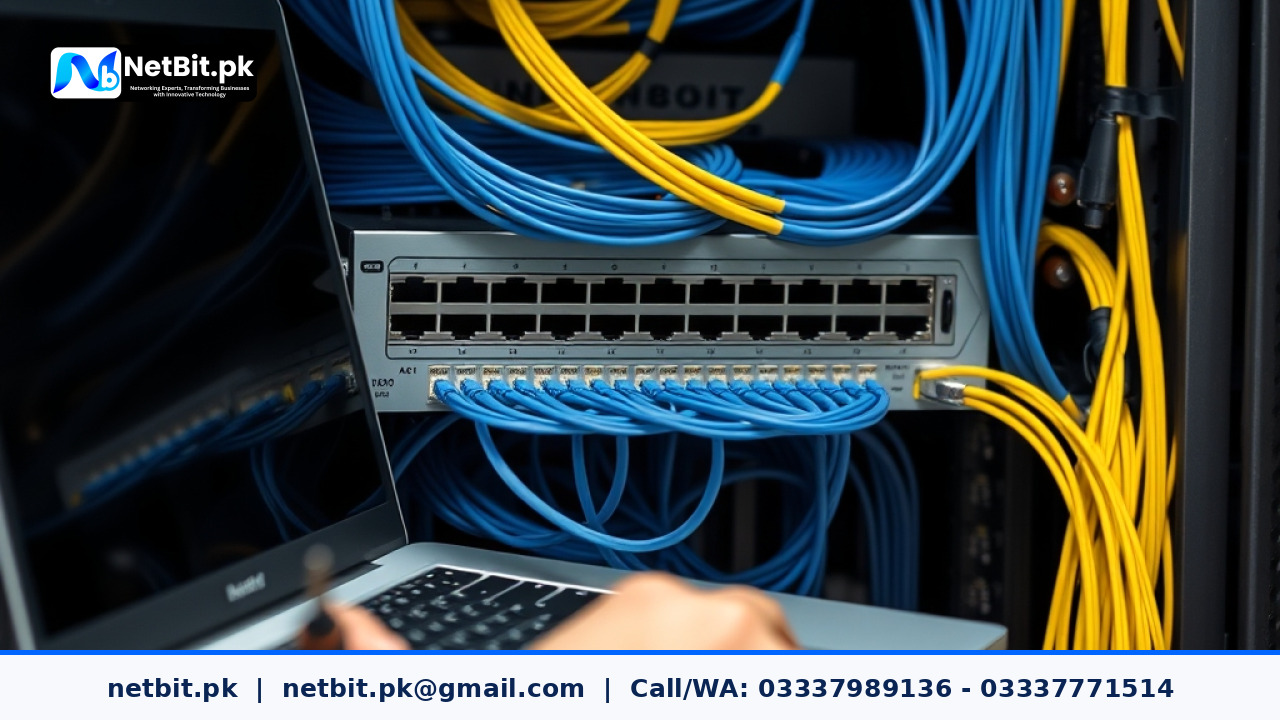
The Importance of Network Infrastructure Updates
In modern office environments across Pakistan, digital operations rely entirely on a stable network backbone. From managing local database servers to supporting point-of-sale operations and remote communication, every business function depends on physical networking hardware like managed switches, routers, fiber patch panels, and point-to-point wireless bridges. However, many IT administrators and business owners focus solely on physical cabling and ignore one critical maintenance task: regular network hardware firmware updates.
Firmware is the embedded operating software stored directly on network switches, wireless devices like Ubiquiti LiteBeam and PowerBeam units, and core routers. Manufacturers release regular updates to patch security vulnerabilities, resolve memory leak issues, improve packet routing efficiency, and introduce support for newer networking standards. Neglecting these updates leaves your business network vulnerable to unexpected network crashes, unauthorized access, and hardware degradation.
Why Regular Firmware Updates Matter for Business Networks
Running legacy firmware on network equipment poses severe operational and security risks. As software applications and operating systems advance, older networking protocols struggle to maintain compatibility, resulting in intermittent dropped connections and unexplainable network latency.
1. Security Vulnerability Patching
Network devices are the primary barrier between your internal business database and external cyber threats. Outdated router and switch firmware often contains unpatched vulnerabilities that unauthorized users can exploit to breach internal networks, intercept unencrypted traffic, or cause hardware instability through denial-of-service attacks.
2. Performance Optimization and Bug Resolution
Hardware manufacturers constantly refine performance algorithms. Updates frequently fix known bugs related to Address Resolution Protocol (ARP) tables, dynamic host allocation, and Link Aggregation Control Protocol (LACP) handling. Updating your switches ensures that hardware offloading functions correctly, reducing CPU utilization on core network devices.
3. Enhanced Wireless Stability for Point-to-Point Links
For businesses in regions like Khuzdar, Quetta, and surrounding commercial centers using outdoor wireless bridges (such as LiteBeam or PowerBeam links) to connect separate office buildings, outdoor ambient temperature changes and frequency congestion present daily challenges. Updates to wireless bridge firmware improve noise immunity, fine-tune channel selection algorithms, and maintain stable throughput across long distances.
Key Networking Hardware Requiring Routine Updates
Not all network hardware requires identical update schedules, but primary active devices must be monitored continuously. Below are the key core hardware components that require structured maintenance updates:
- Core and Access Network Switches: Managed switches handling VLAN routing, Power over Ethernet (PoE) budget allocation for CCTV cameras, and trunk links require quarterly updates to ensure protocol stability.
- Outdoor Wireless Bridges: Devices running proprietary wireless protocols (such as airMAX on LiteBeam and PowerBeam gear) need periodic updates to improve beamforming efficiency and spectrum analysis tools.
- Edge Routers and Firewalls: Core routers terminating internet service provider connections must be updated immediately whenever security patches are released by manufacturers.
- Wireless Access Points (APs): Indoor access points serving staff laptops and mobile terminals require updates to maintain roaming efficiency across different network nodes.
Step-by-Step Guide to Updating Network Hardware Safely
Updating production networking equipment requires careful planning to prevent network outages during critical business hours. Following a systematic process minimizes downtime and protects configuration settings.
Step 1: Perform a Full Configuration Backup
Before initiating any firmware upgrade on switches or routers, export and save the current configuration file. On most managed switches, this can be done via the web management interface or through standard Command Line Interface (CLI) commands using copy running-config startup-config followed by a backup export to a secure TFTP or local storage device.
Step 2: Verify Firmware File Integrity
Download the official firmware file directly from the hardware vendor's authorized download portal. Always check the MD5 or SHA-256 checksum value of the downloaded file against the hash provided by the manufacturer. Uploading a corrupted file can cause permanent hardware boot failures.
Step 3: Schedule Updates During Low-Traffic Maintenance Windows
Avoid running firmware upgrades during peak operational hours. Schedule maintenance during off-peak windows, such as late evenings or weekends. Notify all department heads in advance about the scheduled restart sequence for network switches and core routers.
Step 4: Execute the Upgrade and Validate Boot Sequences
Upload the firmware image to the secondary flash partition (if your switch supports dual-boot images) or the active boot storage. Initiate the reboot procedure. Monitor the console output or management dashboard to ensure the device completes its POST (Power-On Self-Test) routine without throwing memory errors.
Step 5: Verify Connectivity and Interface Status
Once the device comes back online, log in to verify that interface configurations, VLAN tagging, PoE ports supplying power to CCTV cameras, and static routing tables remain intact. Perform ping tests between local network subnets to confirm normal latency levels.
Troubleshooting Common Post-Update Issues
If an update does not complete successfully or causes localized instability, follow these recovery procedures:
- Unresponsive Web Interface: If the graphical web interface becomes unreachable while SSH or console access works, clear your web browser cache or manually restart the HTTP/HTTPS daemon on the switch via CLI.
- Point-to-Point Link Disconnection: If an outdoor LiteBeam link drops after updating one end, ensure both the station and access point units are running matching or fully backward-compatible firmware versions.
- PoE Power Delivery Failure: If CCTV cameras fail to power on after a switch update, double-check the PoE power management settings on the switch dashboard to ensure power allocation profiles were not reset to default limits.
Frequently Asked Questions (FAQs)
How often should an office network update its hardware firmware?
Security patches for edge routers should be applied as soon as vendor advisories are published. General maintenance updates for access switches and point-to-point wireless bridges should be reviewed and applied every three to six months.
Will updating a switch or router erase existing network configurations?
In standard update procedures, existing configuration files are preserved. However, unforeseen software bugs or major version migrations can occasionally reset settings to factory defaults, which is why taking a complete configuration backup before updating is mandatory.
Can I update outdoor wireless bridges remotely?
Yes, outdoor links like PowerBeam and LiteBeam setups can be updated via their web interfaces over the local network. However, it is essential to update the remote (Station) unit first, followed by the local (Access Point) unit, to avoid losing administrative connectivity mid-process.
Upgrade Your Business Network Infrastructure with NetBit Khuzdar
Managing network infrastructure, configuring VLANs, terminating high-grade Cat6 copper lines, laying fiber optic patch links, and maintaining outdoor wireless bridges require deep technical expertise. At netbit, our team of dedicated IT specialists provides complete network installation, maintenance, and optimization services tailored specifically for Pakistani businesses, educational institutions, and commercial facilities.
Whether you need a complete office network deployment, structured Cat6 cabling, long-range wireless bridge integration using LiteBeam technology, robust CCTV security cabling, or ongoing network maintenance, netbit software house delivers reliable, professional solutions in Khuzdar and throughout the region. Partner with netbit tech today to ensure your network infrastructure remains secure, updated, and built for uninterrupted productivity.

Reader comments.
Share your question, suggestion or experience related to this article.
No comments yet
There are no approved comments on this article yet. You can be the first person to leave one.